50+ Best Gemini AI Photo Prompts (Copy & Paste Examples)

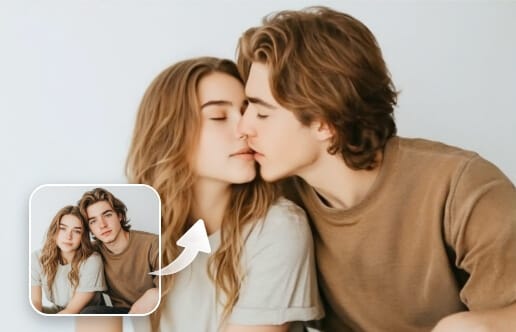
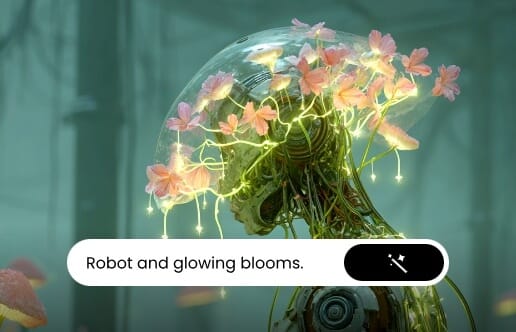
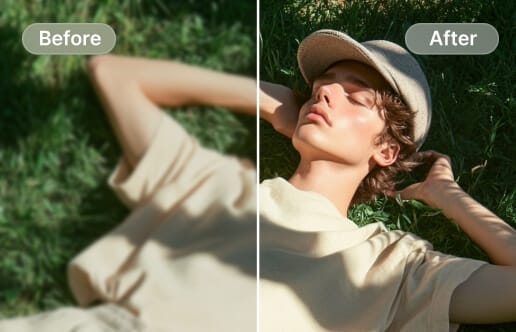
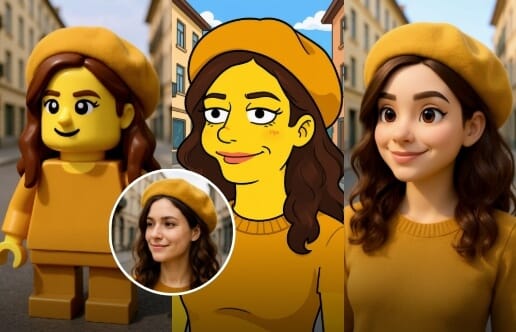
Bring your ideas to life with Nano Banana, Google’s latest AI model for image generation and editing. In this guide, you’ll get ready-made Gemini AI photo prompts you can copy and paste to turn any photo into eye-catching AI images.

Best Google Gemini Nano Banana model prompts

Copy & Paste Gemini AI Photo Prompts for Editing, Art, and Design

Powered by advanced AI image generation and editing models, Nano Banana, Clipfly provides a powerful suite of tools. You don’t need to master prompt writing or complex editing techniques—simply use the ready-made prompt templates or create your own to transform your images in seconds.

👇Choose a Template to Get Started👇

Boost Efficiency of Basic Editing Tools

In Clipfly AI image generator, you can copy and paste a prompt for Gemini 3 Pro photo editing by clicking the prompt link below, or customize your own prompt with our Gemini prompt generator to realize endless creative ideas.

1. Background Swap

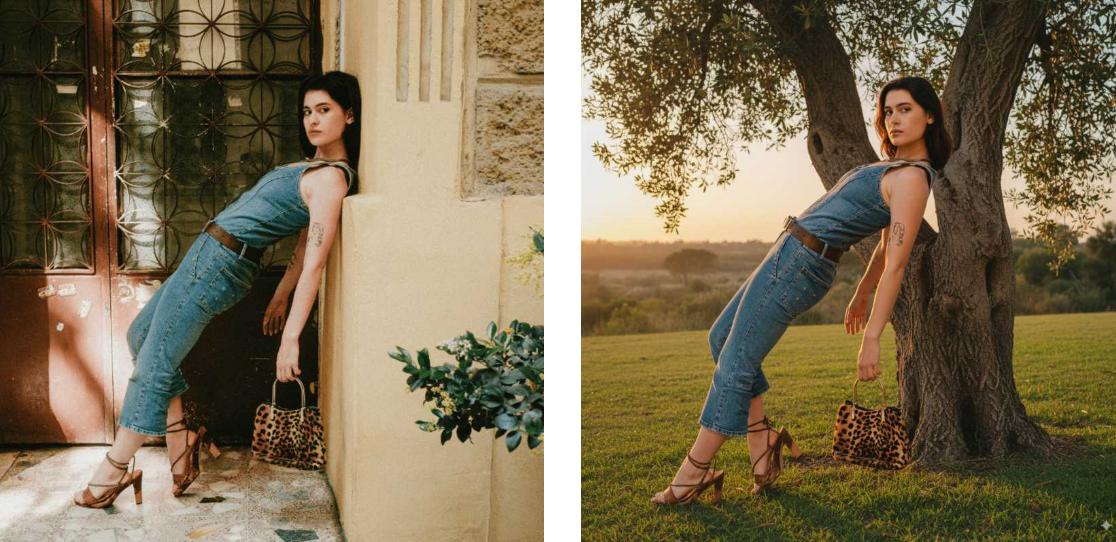
Copy and paste this Gemini AI photo prompts to swap the image background for a new scene while keeping the subject untouched.

Background removal before and after effect featuring a woman leaning against a wall and a tree
Remix

2. Add Object to Image

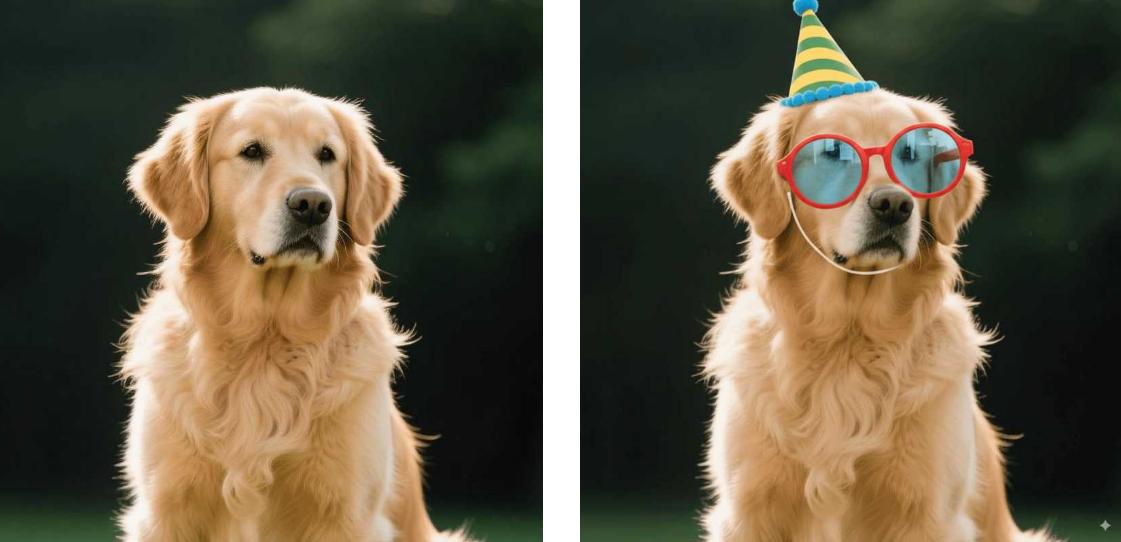
Effortlessly add new objects to your photos and have them blend in seamlessly.

Add a photo and a hat to the golden retriever in the image
Remix

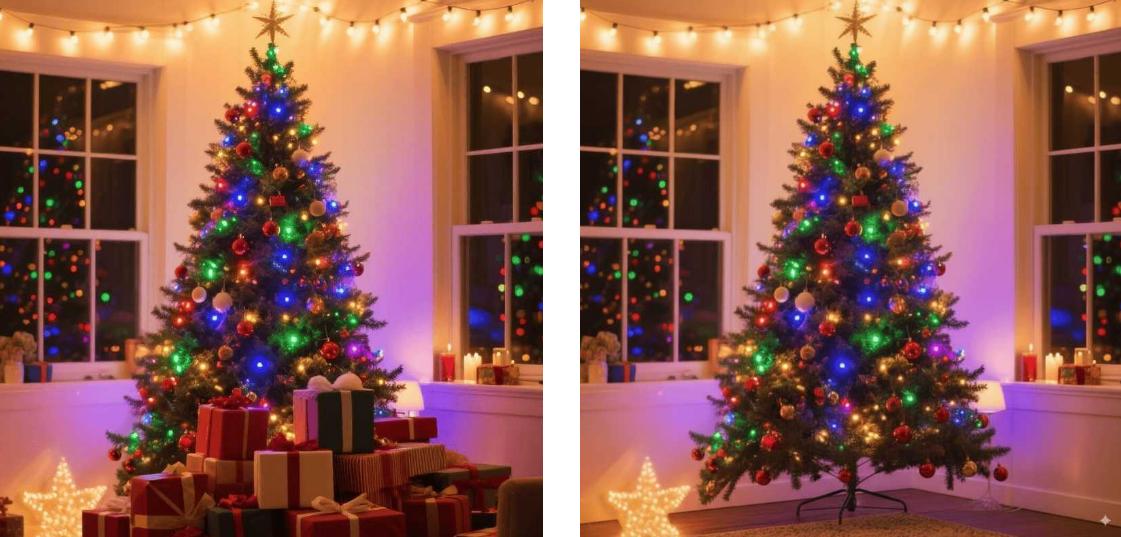
Remove Object from Image

Remove unwanted items from a photo by using AI replace or editing tools to seamlessly erase them and fill the background naturally.

Remove the gift box decorations around the Christmas tree in the image
Remix

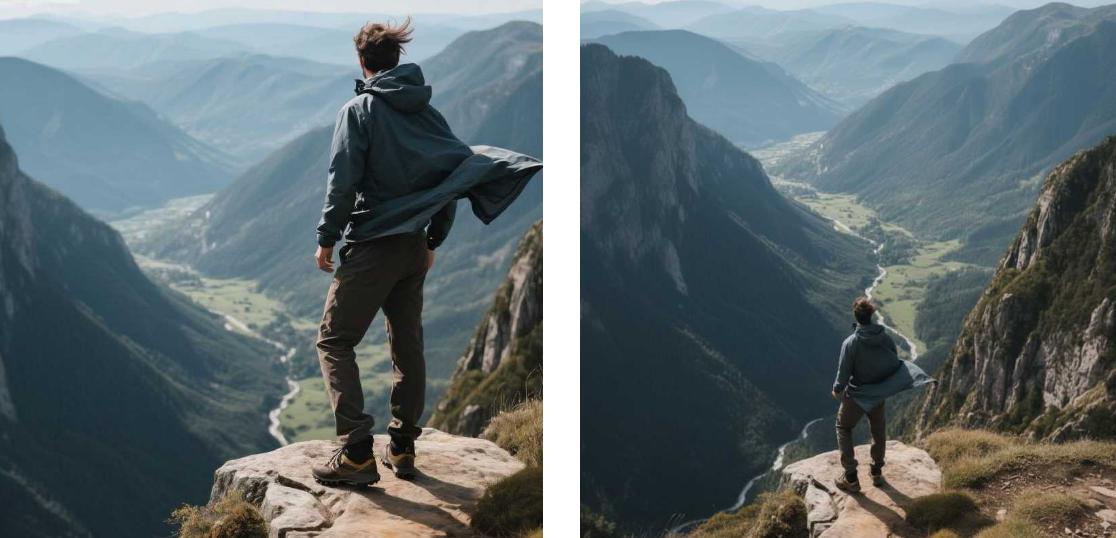
4. Camera Perspective Change

Change the camera angle to showcase your subject from any perspective using this Gemini 3 Pro trending photo prompt.

Change the perspective of this photo of a man standing on a mountain from eye level to a top down view
Remix

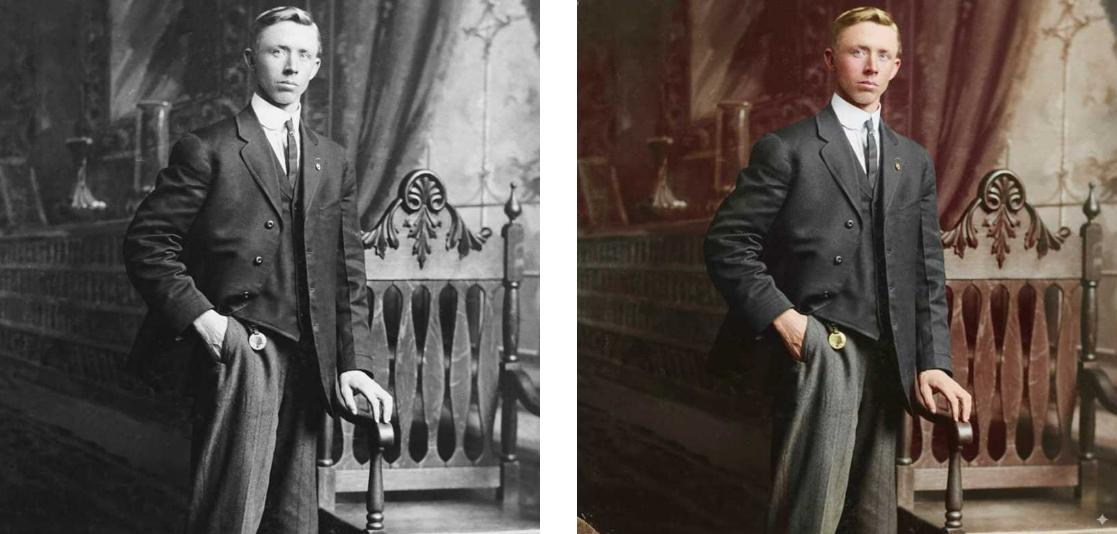
5. Old Photo Restoration

Automatically repair and enhance damaged or faded photographs, restoring them to a clear, realistic, and high-quality version.

📌 Customization Tips:

  • Optional style notes: “ultra-realistic,” “vintage enhancement,” or “colorized from black-and-white.”
  • Detail emphasis: specify if you want “sharp facial features,” “clear text or inscriptions,” or “restored background patterns.”
  • Lighting adjustments: “balanced warm tones” or “original lighting preserved.
Restore and colorize an old photo
Remix

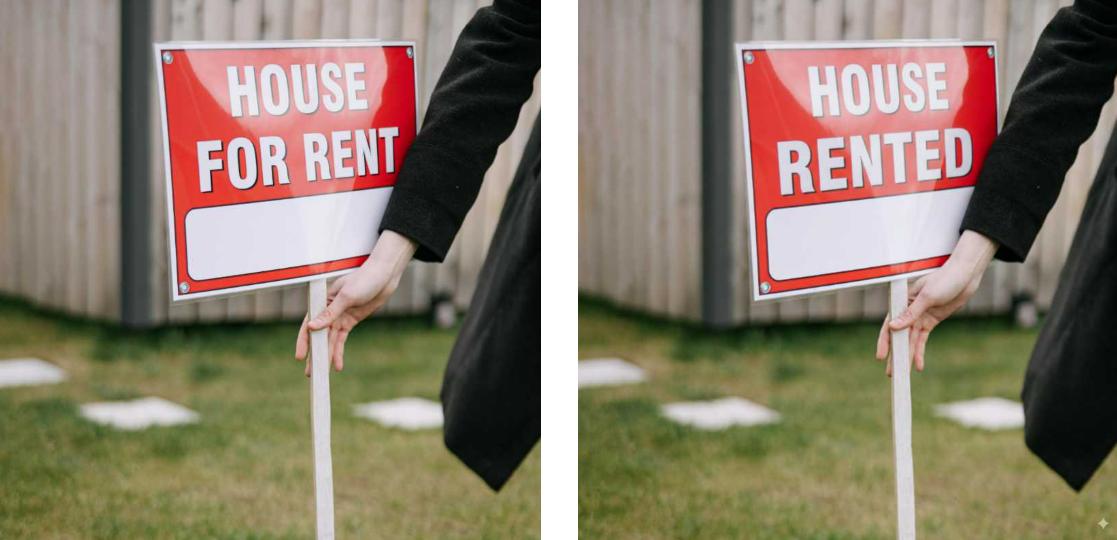
6. Edit Text in Image

Modify, replace, or add text within a photo while keeping the background and surrounding elements seamless and natural. Use the prompt for Gemini 3 Pro photo editing now.

Change the text in the image from house for rentg to house rented
Remix

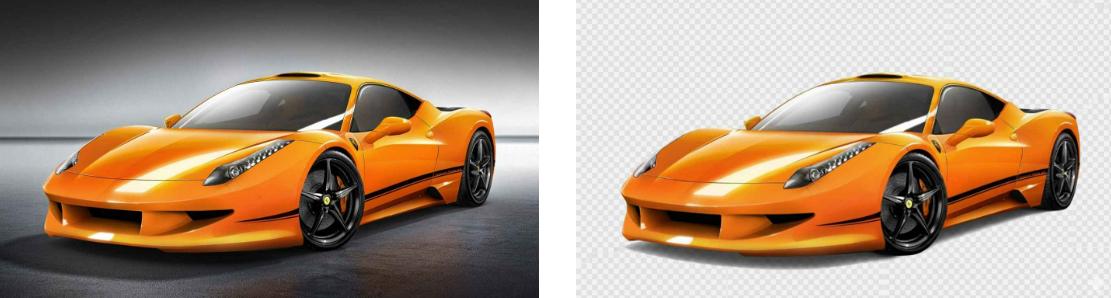
7. Object Extraction

Easily isolate a specific subject or object from an image, removing its background while preserving all details and edges.

Extract the yellow car from the image and make the background transparent
Remix

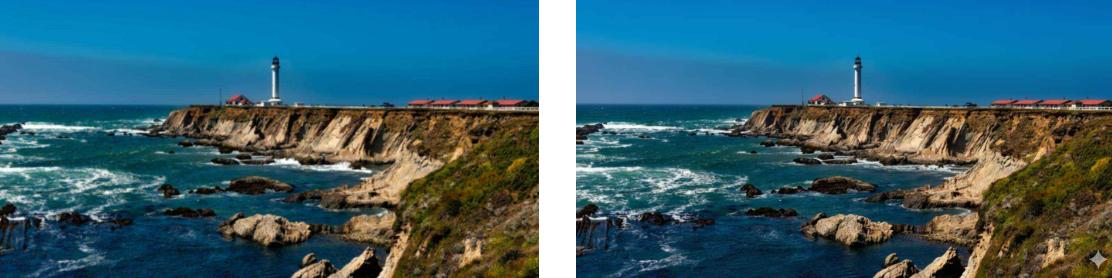
8. Enhance Image

Improve image quality, clarity, and details for a sharper and more visually appealing result.

Enhance the clarity and quality of this seaside photo
Remix

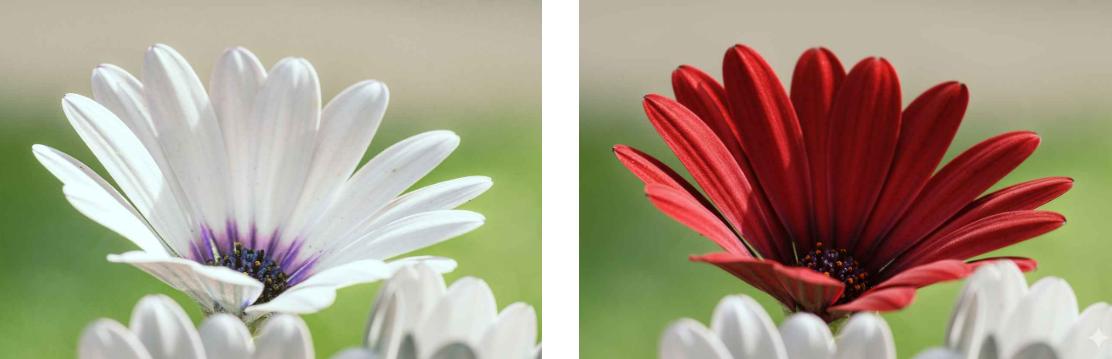
9. Image Color Change

Alter the colors of objects, backgrounds, or elements in a photo while keeping the rest of the image natural and consistent.

Change the white flowers in the image to red flowers
Remix

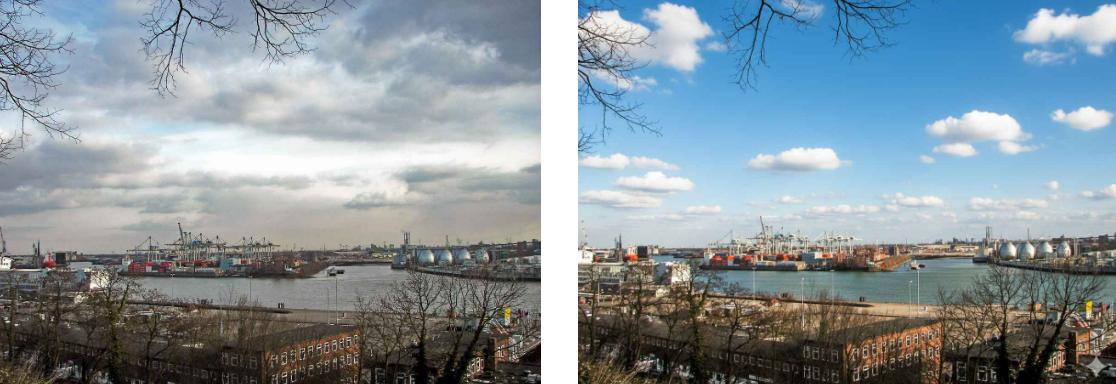
10. Image Weather Change

Transform the weather conditions in a photo—such as sunny, rainy, snowy, or foggy—while keeping the original scene and subjects natural and consistent.

Change the overcast sky in the image to a blue sky with white clouds
Remix

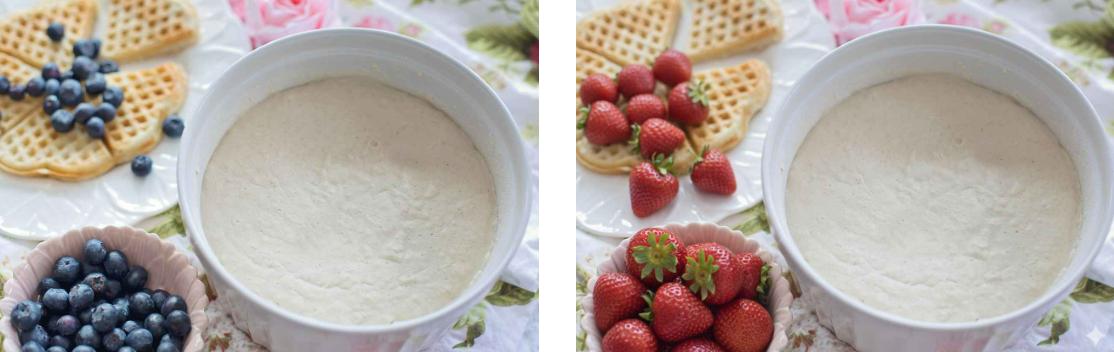
11. Image Element Replace

Swap a specific object, item, or element in a photo with a new one while keeping the rest of the scene natural and consistent.

Change the blueberries in the image to strawberries
Remix

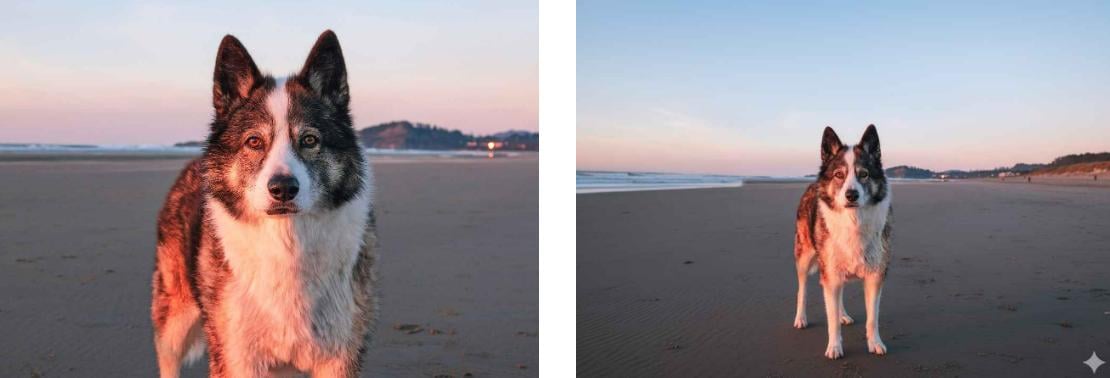
12. Image Outpainting

Extend the edges of a photo to create a larger scene while maintaining the style, perspective, and consistency of the original image.

Extend the composition of an image featuring a dog on the beach
Remix

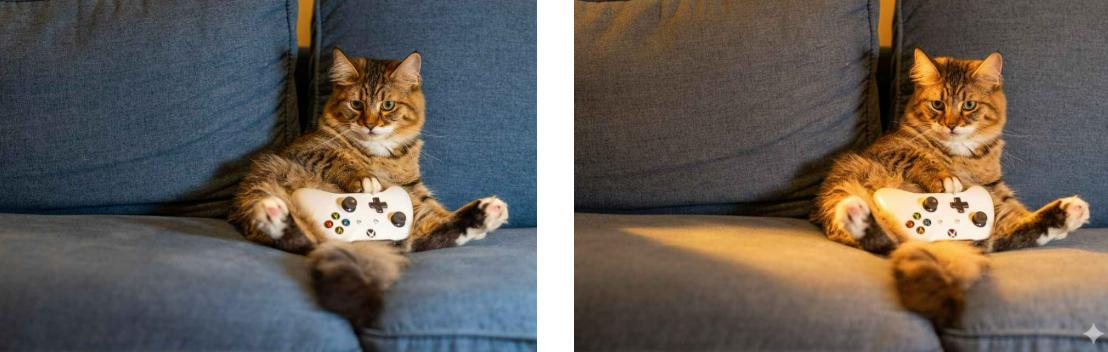
13. Lighting and Shadow Changes

Adjust the illumination, highlights, and shadows in a photo to create a different mood or emphasize certain elements while keeping the scene natural.

Add a warm yellow lighting atmosphere to the photo of the cat holding a game controller
Remix

Retouch Your Portrait with Ease

Modify your portrait, body shape, makeup, expression, clothes, and anything you can imagine with ready-to-use templates.

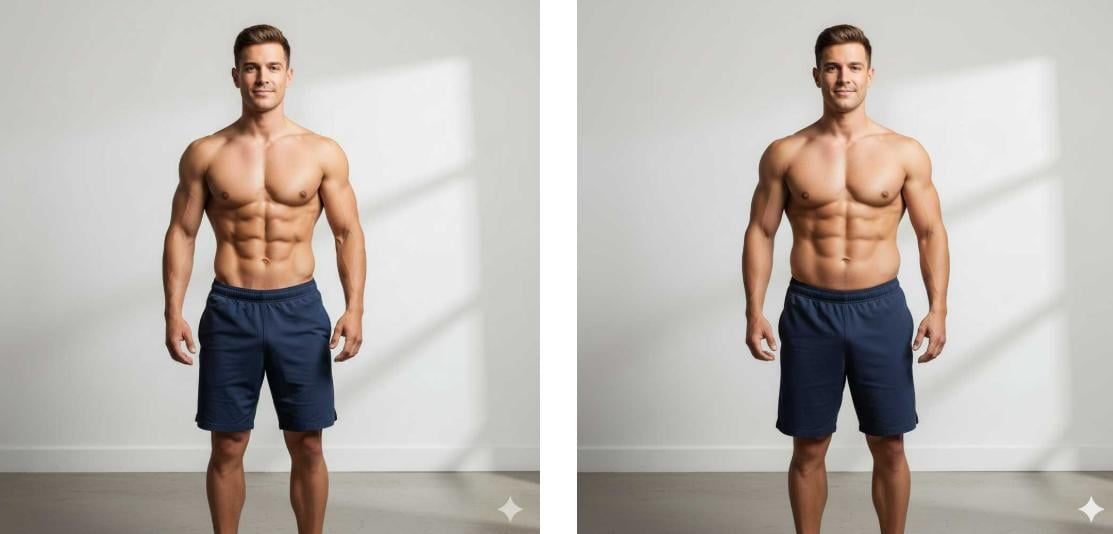
1. Body Reshape

Modify a person’s body shape, proportions, or posture in a photo while keeping the image natural and realistic.

Make the man in the photo more muscular with a thicker waist
Remix

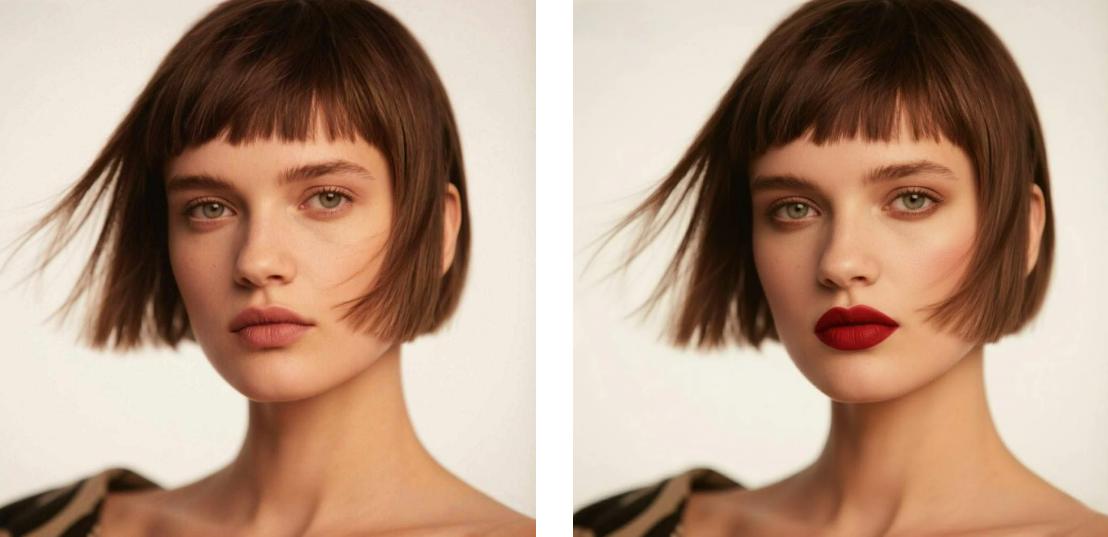
2. Virtual Makeup

Virtually apply or modify makeup on a person in a photo, allowing realistic previews of different cosmetic looks without physical application.

Add bold red lipstick makeup to the short haired woman in the photo
Remix

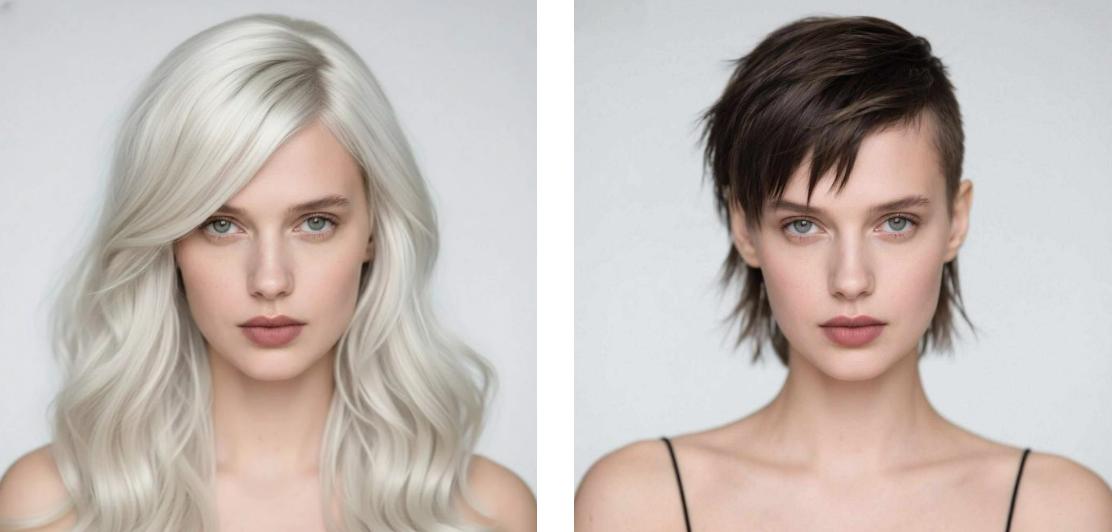
3. Hairstyle Change

Alter a person’s hairstyle, length, or color in a photo while keeping the face and surrounding details natural and realistic.

Change the white long hair of the woman in the photo to short brown hair
Remix

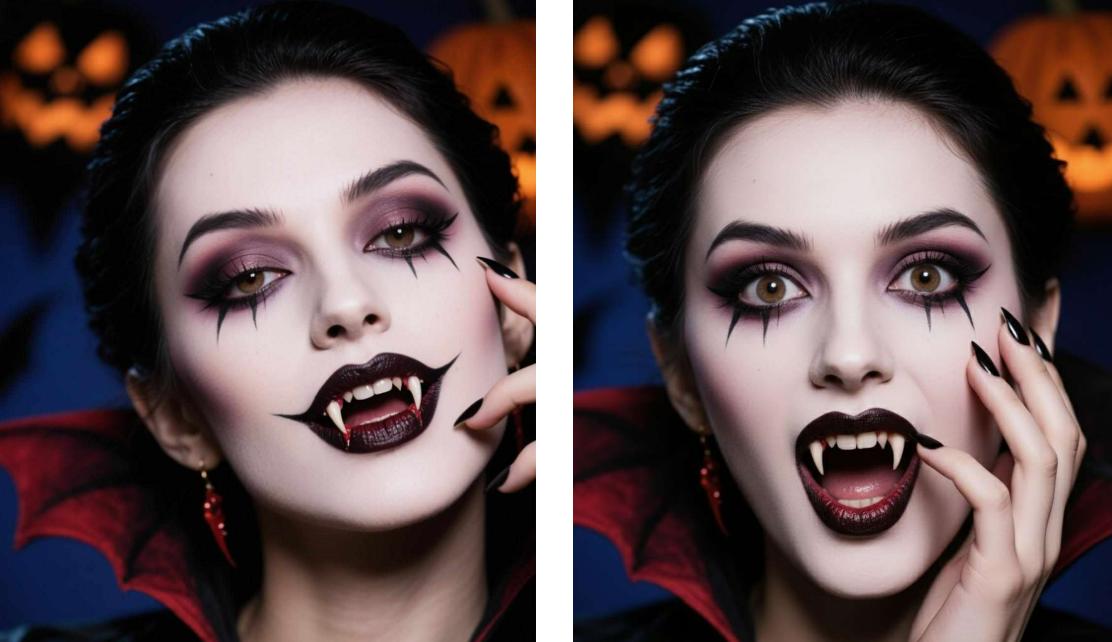
4. Facial Expression Change

Adjust facial expressions to make your subjects smile, frown, or show any emotion using Nano Banana model prompts.

Change the expression of the woman in Halloween cosplay in the image
Remix

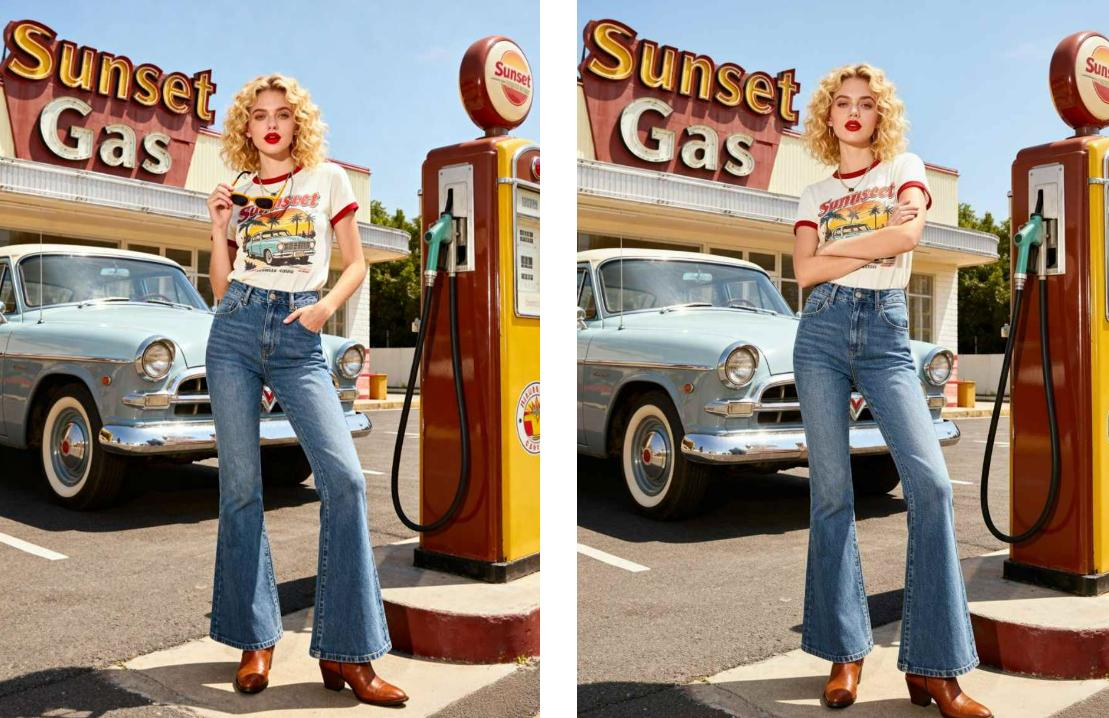
5. Gesture Adjustment

Change a person’s hand or body gestures in a photo while keeping the posture, proportions, and surrounding elements natural and realistic.

Change the standing pose of the woman in the image
Remix

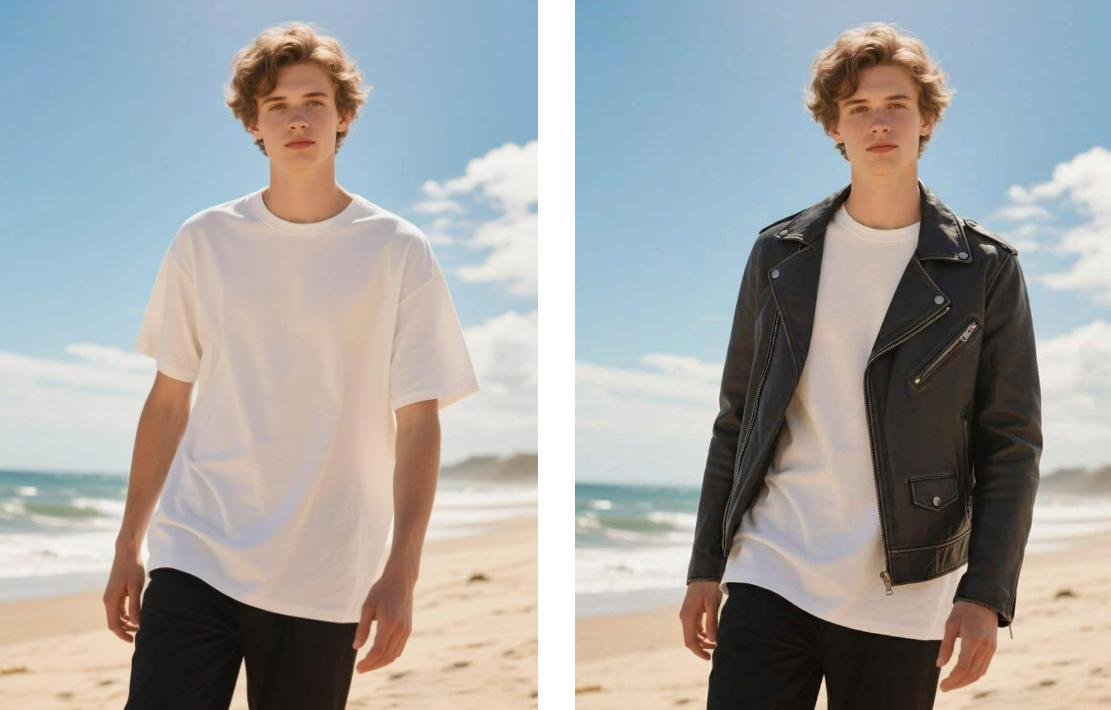
6. Virtual Clothes Try-on

Digitally dress a person in different outfits within a photo, allowing realistic previews of clothing styles, colors, and fits without physical changes.

Add a black leather jacket to the man wearing a white short sleeve shirt in the photo
Remix

Transfer Your Portraits with Fun Templates

Transform portraits of people, pets, and more into various styles or enjoy fun interactive features

1. 3x3 Photo Grid Pose

Generate nine coordinated versions of a person or subject in different poses or angles, arranged in a 3×3 grid, while keeping each image consistent in style and quality.

Generate a 3 3 grid of selfies featuring the ragdoll cat in the image
Remix

2. 3x3 Grid Portrait

Generate nine cohesive portrait variations of a subject from a single photo, arranged in a 3×3 layout and showcasing different life experiences.

Generate a 3 3 grid of selfies of the woman in the image with different scenes and outfits
Remix

3. AI Polaroid-style Couple Photo

Upload two images to create an AI couple photo in Polaroid style. Easily generate your own AI polaroid with a celebrity, a celebrity, celebrity with celebrity, anime characters, etc.

Note: You need to upload two images and customize the character's pose.

Make the man and woman in the photo embrace each other
Remix

4. Hug My Younger Self Polaroid

Upload two images to generate a cute polaroid picture of your older self hugging your younger self.

Note: You need to upload two images and customize the character's pose.

Make the woman and little girl in the photo hug each other
Remix

5. AI Saree

Upload a photo and apply prompts to transform it into a cinematic, vintage-style portrait of wearing a saree.

Change the woman in the photo wearing white clothes to wearing a saree
Remix

6. Cinematic Portrait

Copy and paste this Google Gemini 3 Pro AI photo prompt to convert a regular portrait into a dramatic film scene.

Generate a studio style portrait of the woman in the photo wearing black clothes with a red background
Remix

7. AI Ghost Face

Transform any portrait image into a stunning AI ghostface photo, Make the subject hold a telephone on a bed in a room, with the iconic horror ghostface mask from the classic from Scream Looming behind.

Place the woman from the photo into a Halloween Ghostface answering the phone scene
Remix

Creative Designs, More Possibilities

Experience a variety of advanced features and trending fun activities

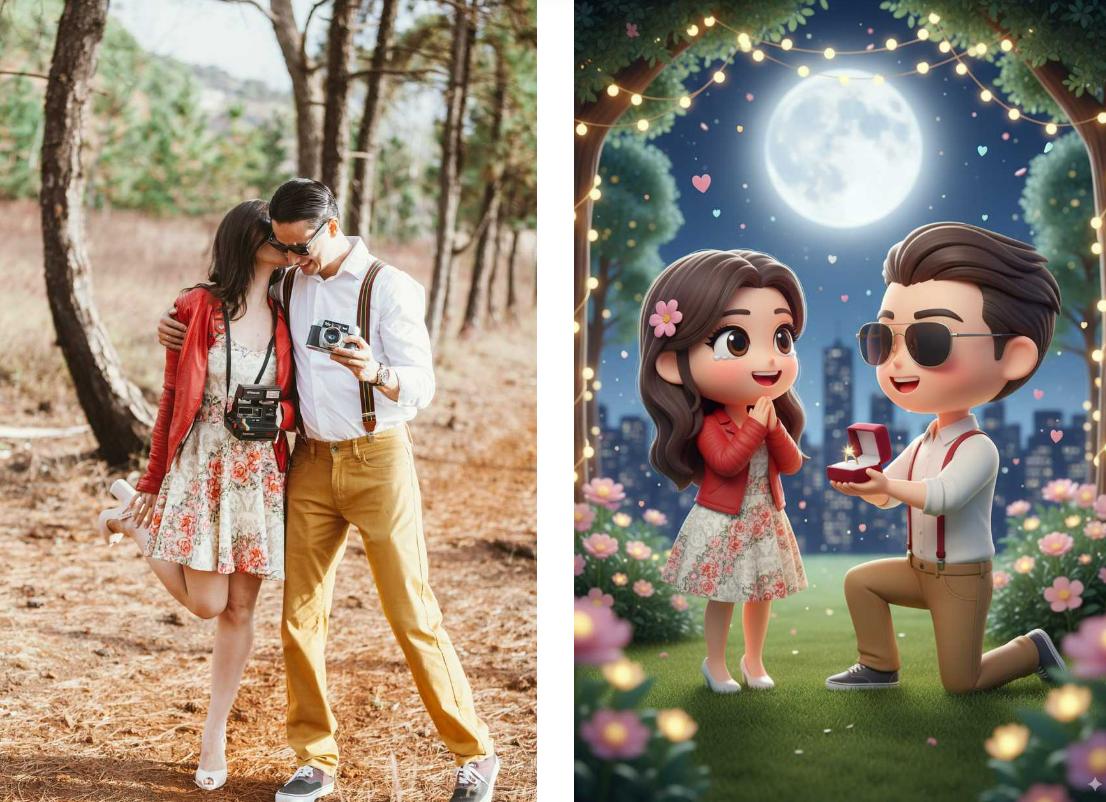
1. 3D Chibi Proposal Scene

Transform your photo into a cute, three-dimensional chibi-style artwork depicting a romantic marriage proposal setting

Generate a 3 D chibi proposal scene based on the couple photo
Remix

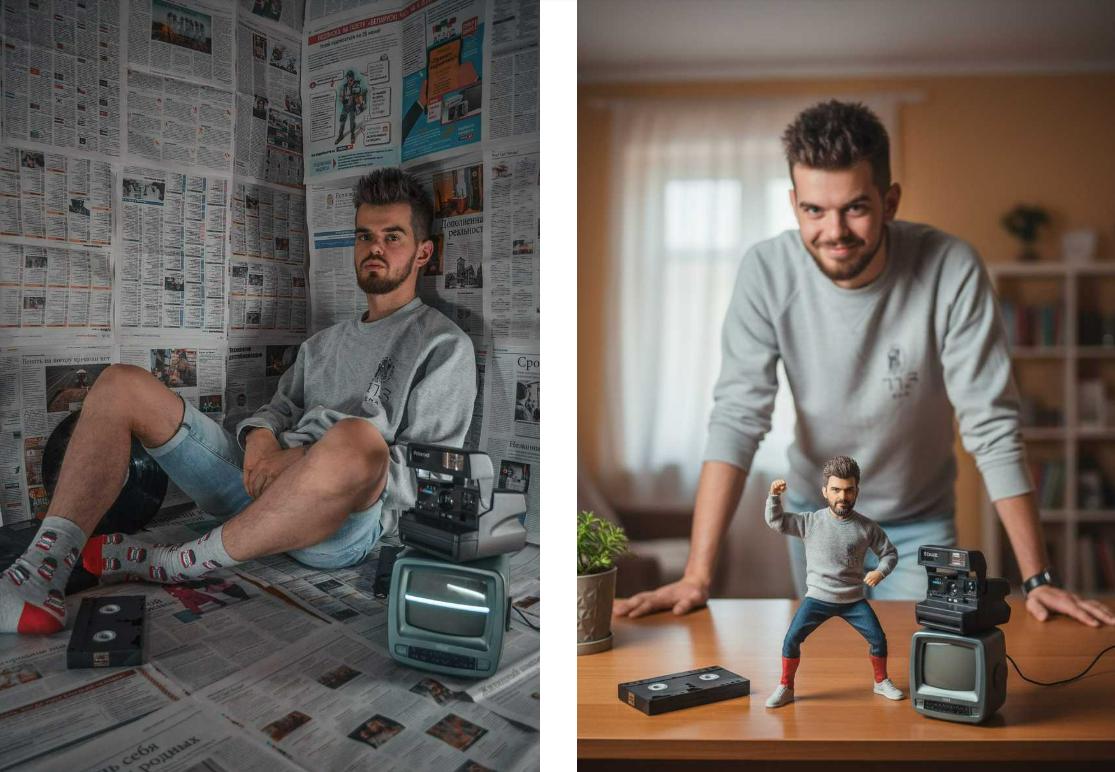
2. Action Figure with Real Person

Create a scene featuring a figurine and a real person in the same frame.

Generate an action figure version of the man in the photo and place it in the same scene with the real person
Remix

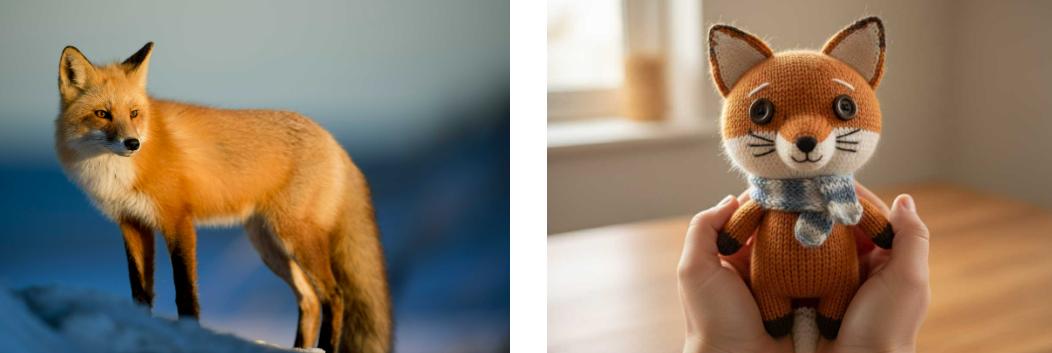
3. Knitted Doll

Turn a user-uploaded photo into a lifelike, handmade-style knitted or crocheted doll version of the subject, complete with yarn textures and soft, cozy details.

Transform the fox in the image into a knitted doll
Remix

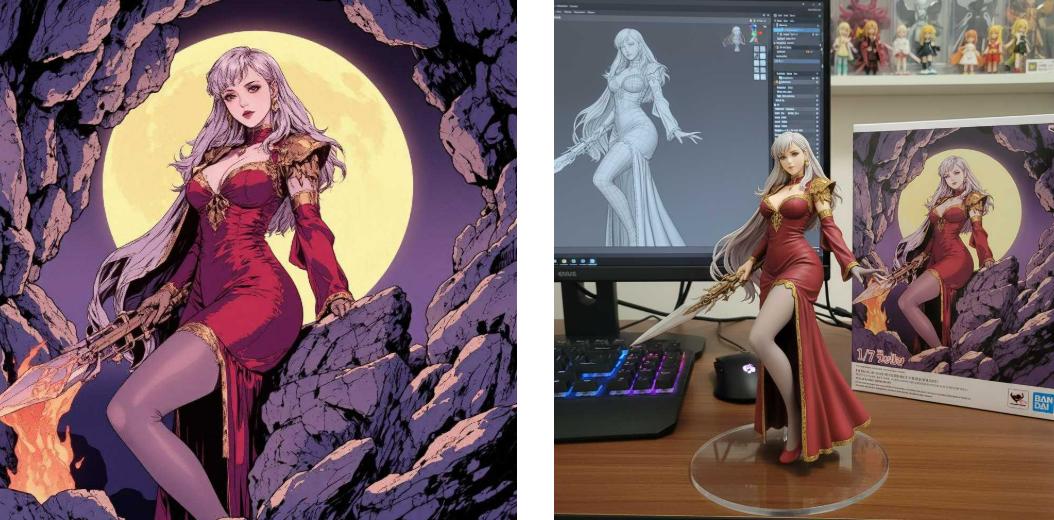
4. Custom Anime Figure

Transforms a photo into a highly detailed, collectible-style anime figurine that preserves the subject’s key features while adding vibrant colors and sculpted 3D effects.

Transform the anime character in the image into a realistic style collectible figurine in a realistic environment
Remix

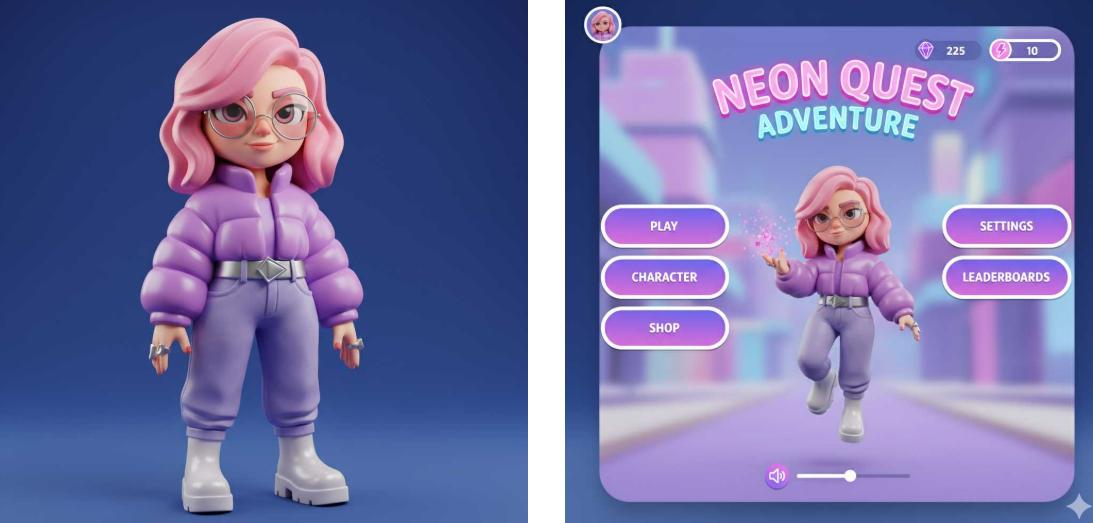
5. Game UI

Uses a photo as inspiration to automatically create a polished, game-ready user interface with themed buttons, menus, and visual elements that match the photo’s style and mood.

Transform the 3 D figurine character in the image into a game UI interface element
Remix

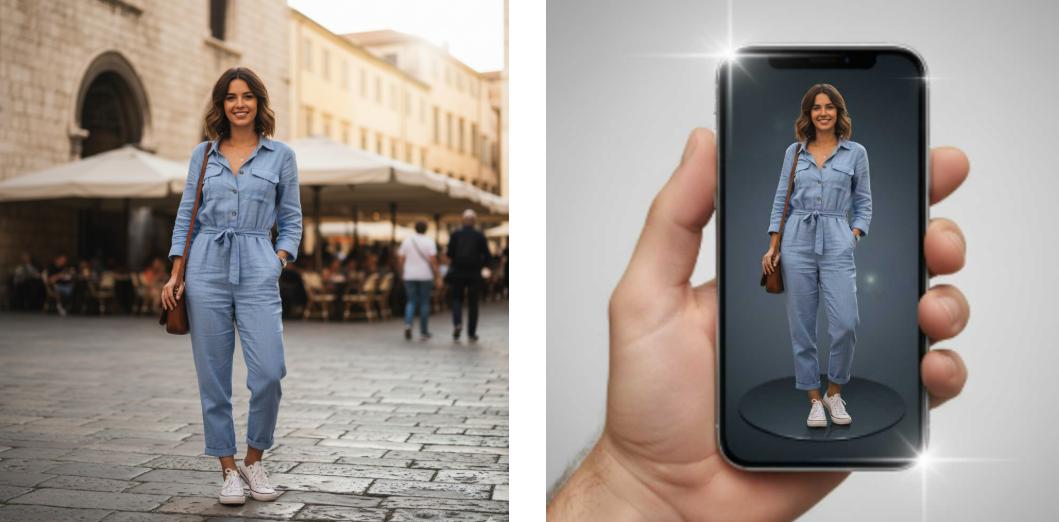
6. Perspective 3D Pop-Out Effect

Transform a flat photo into a dynamic scene where the main subject appears to extend beyond the frame, creating a striking three-dimensional illusion.

Make the person in the image rise dramatically from a modern smartphone screen with a 3 D pop out effect
Remix

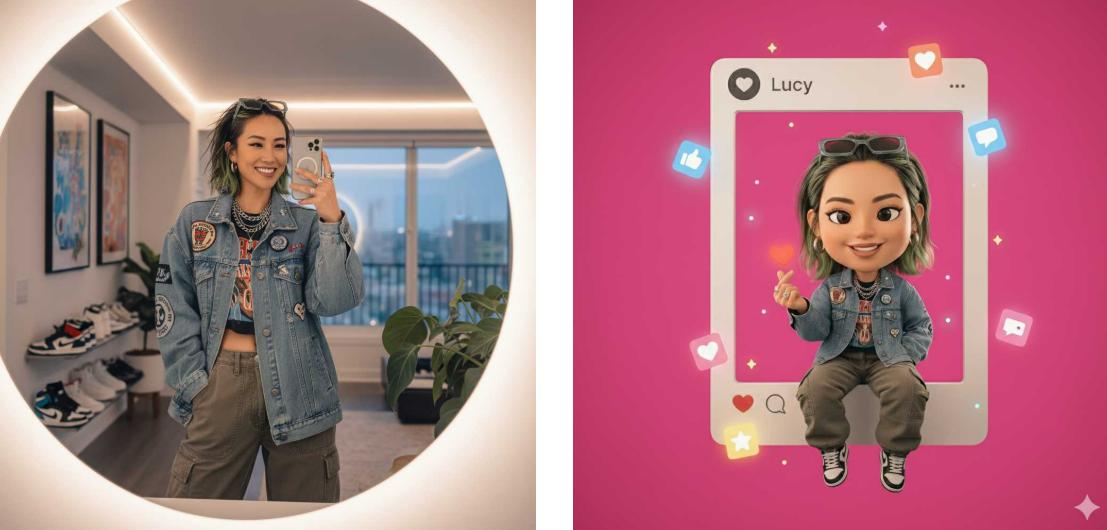
7. Social Media Frame Integration

Create a playful 3D chibi character of the subject interacting with a giant Instagram frame, complete with finger-heart gesture, social media icons, and accurate facial and clothing details.

Transform the person in the image into a 3 D chibi style character perched on the edge of a giant Instagram frame
Remix

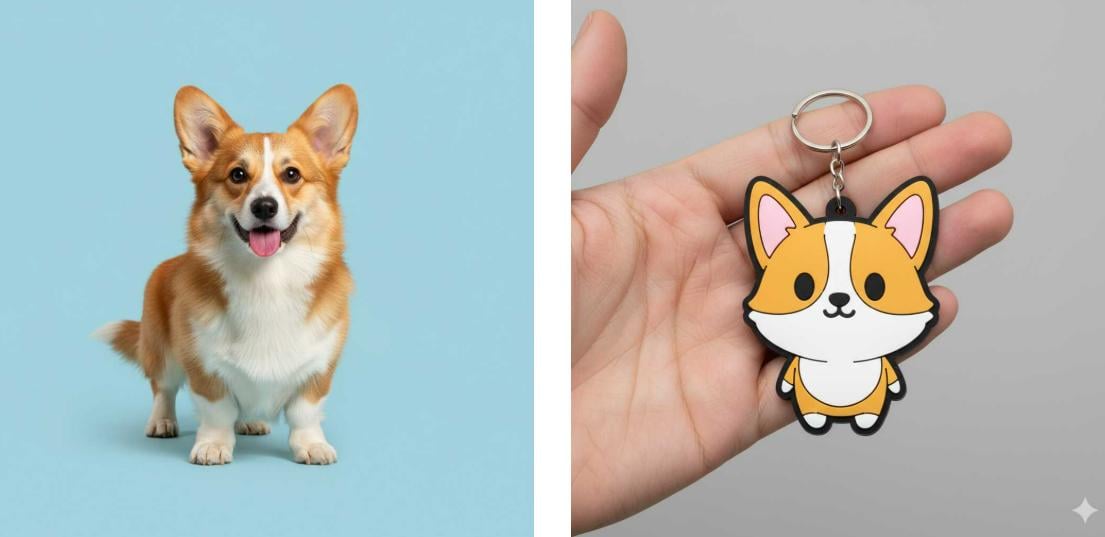
8. Cute Chibi Keychain

Generate a close-up image of a colorful chibi-style keychain, accurately depicting the subject from the attached photo, held in a hand with a neutral background. Use the following prompt for Gemini 3 Pro photo editing in one click.

Transform the corgi in the image into a chibi style keychain
Remix

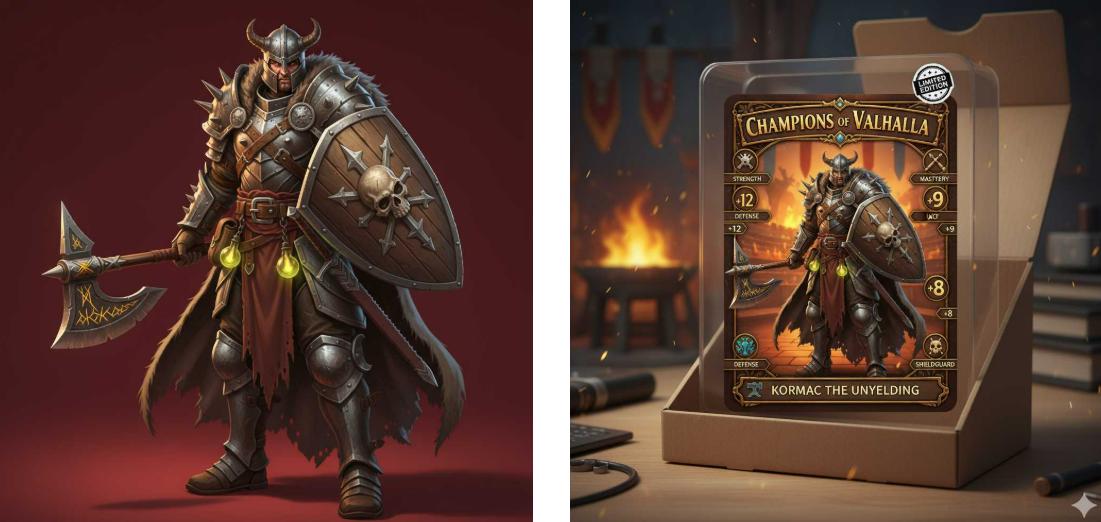
9. RPG-Style Character Card Creation

Create a vibrant 3D cartoon-style RPG collectible character card of the subject as a specific profession, complete with skill stats, banners, nameplate, and profession-themed background.

Reference Image: Optional. You can create an RPG-style character based on profession/role description or use an uploaded photo as a reference.

Create an RPG style character card using the 3 D game character from the image
Remix

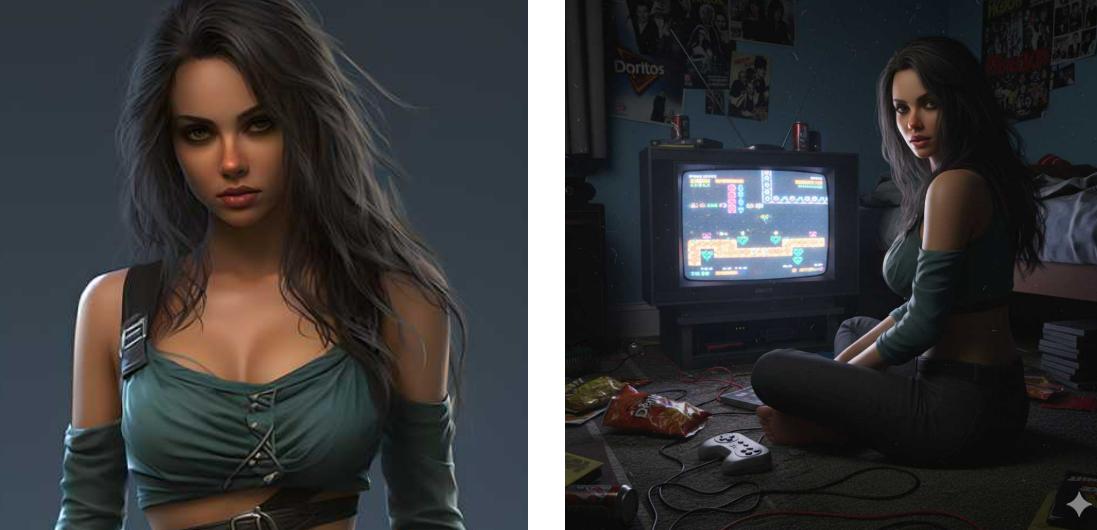
10. Ultra-realistic 3D Game

Creating an ultra-realistic 3D render of a specified character or your uploaded image in a detailed, themed 3D game environment.

Make the woman in the image sit on the carpet facing an old fashioned TV playing a game
Remix

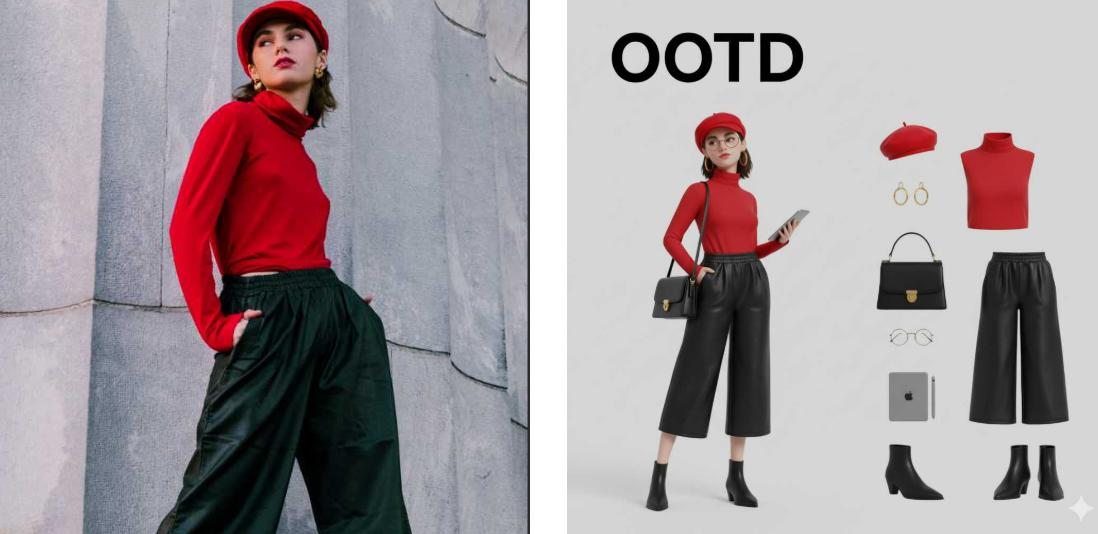
11. Famous Painting Character OOTD

Generate a Q-style 3D C4D-rendered character dressed in fashion-forward OOTD based on your uploaded image.

Generate a Q style 3 D C4 D rendered character of the woman in the image with individual clothing items and accessories laid out separately
Remix

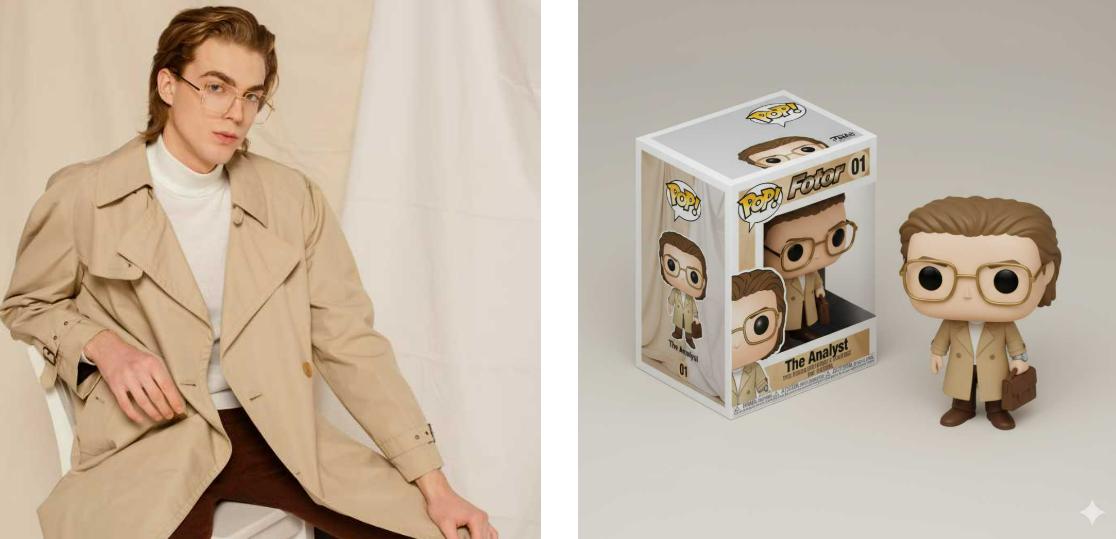
12. Funko Pop Figure Creation

Create a Funko Pop-style chibi figure of the person in the photo, displayed both inside an isometric packaging box and as a realistic, standalone 3D figure with detailed textures and lighting.

Transform the person in the image into a funko pop figure and present it together with the blind box packaging
Remix

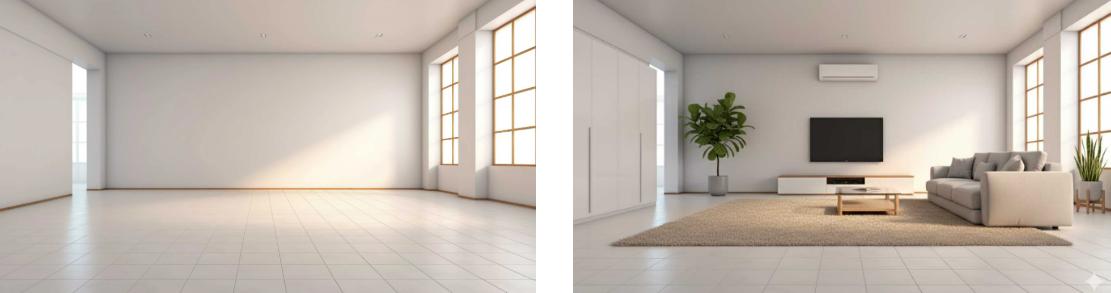
13. AI Interior Design

Visualize and redesign your room with AI interior design capability, creating stylish spaces.

Add furniture and soft decorations to the empty room in the image
Remix

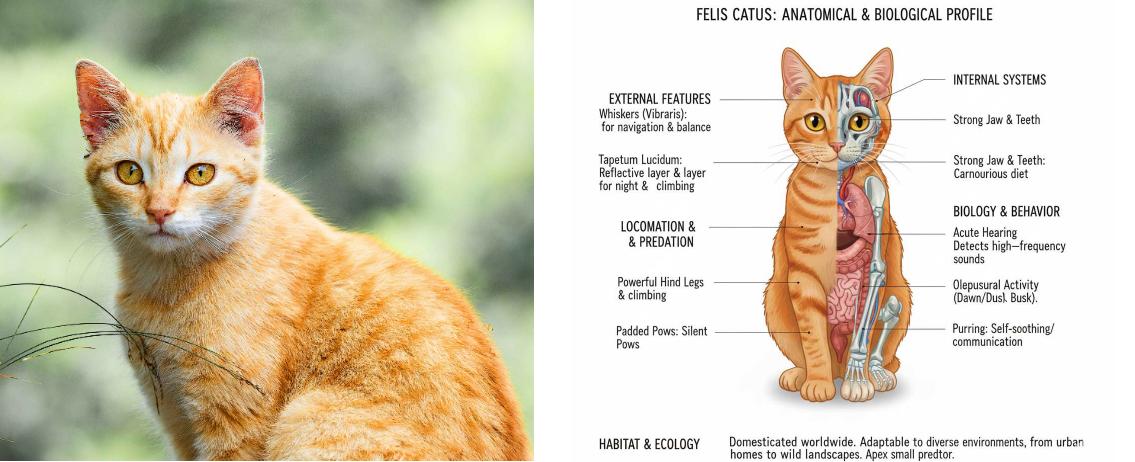
14. Anatomical Illustration

Generate exact and richly detailed anatomical visuals for learning or creative work with a Nano Banana AI prompt.

Generate an anatomical illustration of the orange cat in the image
Remix

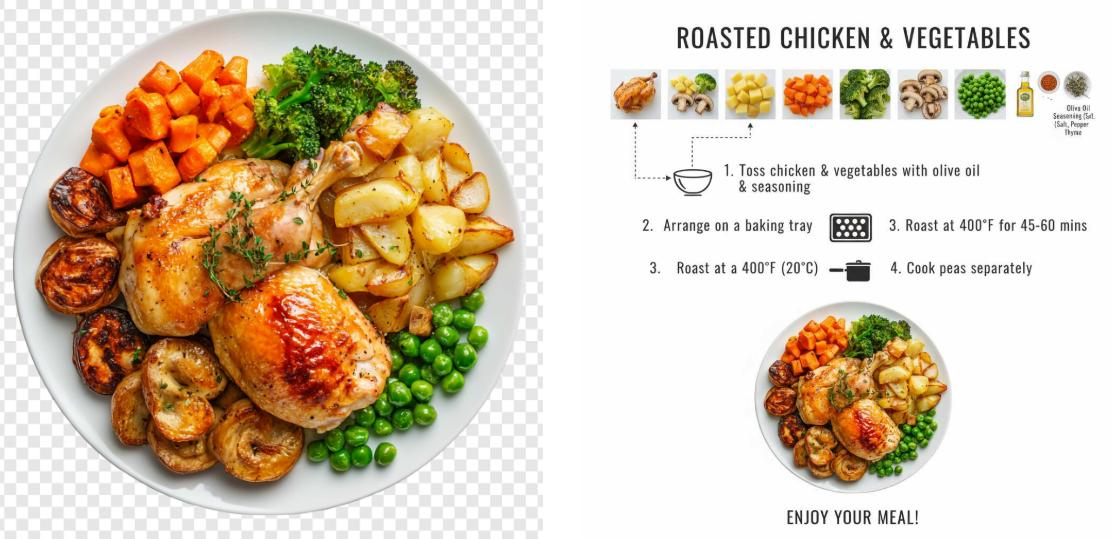
15. Ingredient Display

Create a clear, minimalistic, top-down infographic that visually presents a step-by-step recipe for a specified dish.

Reference image: Optional

Infer ingredients and cooking process from the dish in the image
Remix

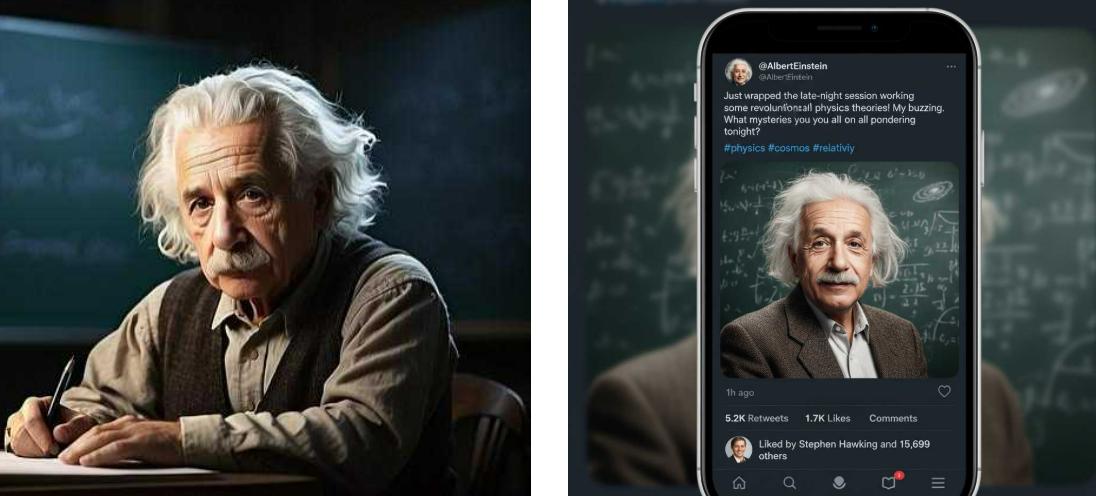
16. Fake Tweet Screenshot

Create a fake Tweet screenshot for a celebrity or any influencer.

Create a tweet screenshot featuring Einstein from the image
Remix

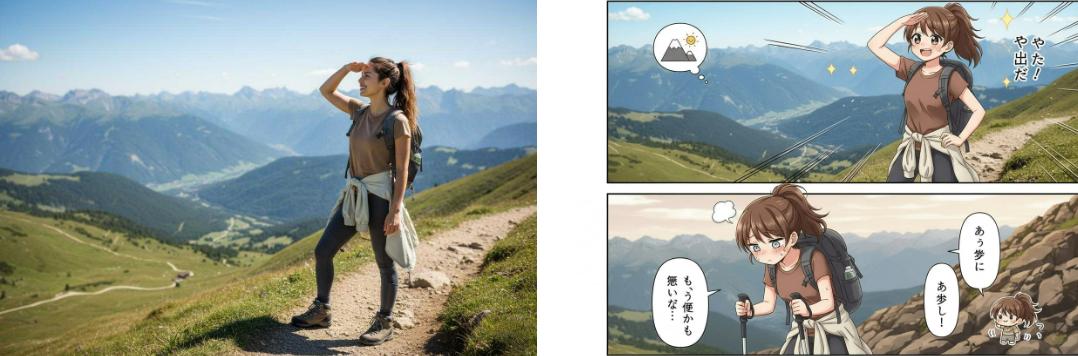
17. Japanese Two-Panel Manga

Create a two-panel vertical manga in a cute Japanese anime style.

Reference Image: A photo of a person is needed for reference.

Generate a Japanese style two panel manga of the woman in the image
Remix

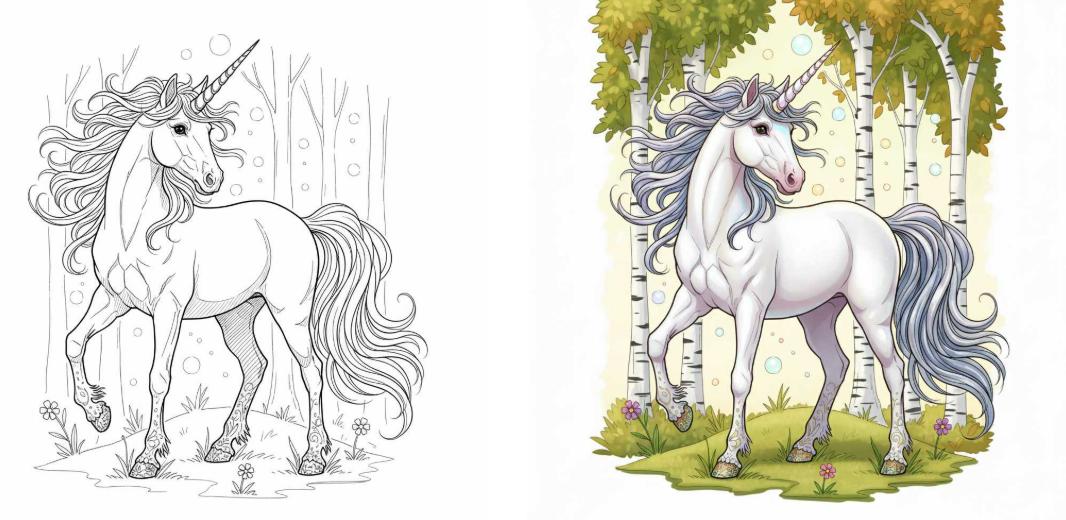
18. Line to Image

Convert line art or sketches into fully colored and detailed images with either realistic or stylized effects.

Color the unicorn line art in the image
Remix

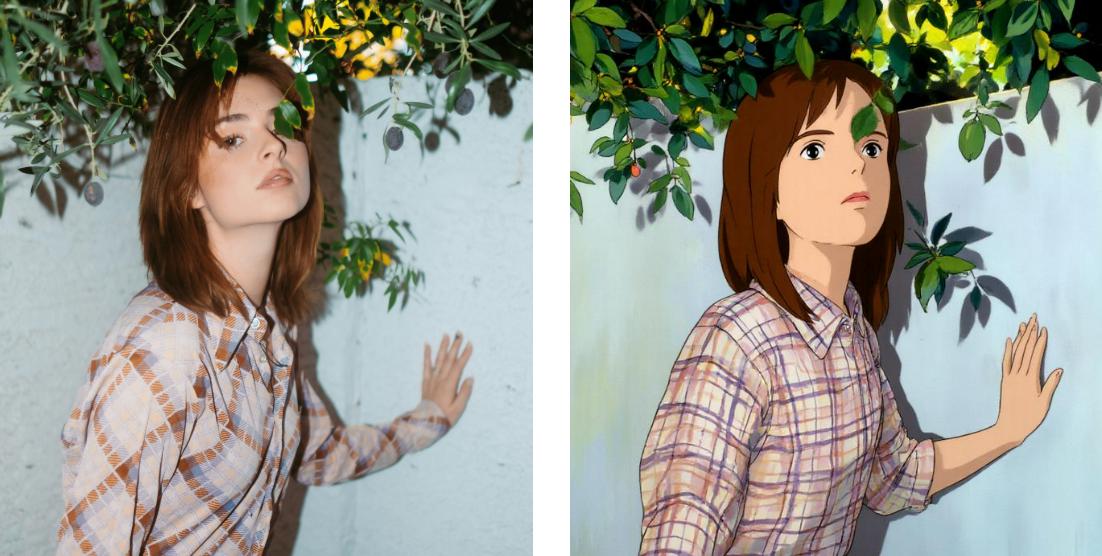
19. Image to Ghibli Style

Convert a photo into a charming, hand-painted animation style inspired by Studio Ghibli films, capturing soft colors, whimsical lighting, and painterly textures.

Transform the female character in the image into Ghibli style
Remix

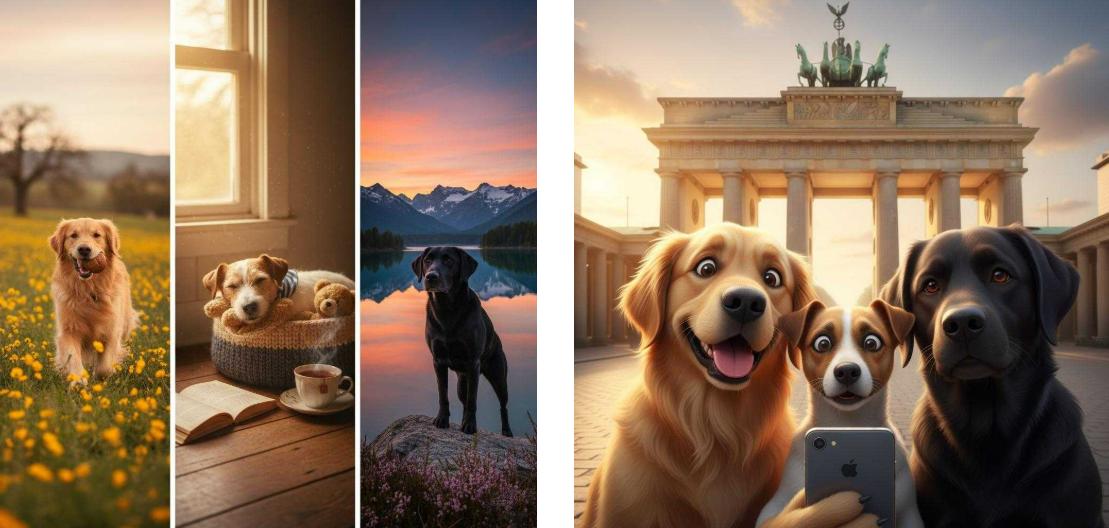
20. Animals Selfie at Landmark

Create a highly detailed, realistic-cartoon-style close-up selfie of three animals with different expressions in front of a famous landmark.

Create a group photo from the three dog images uploaded
Remix

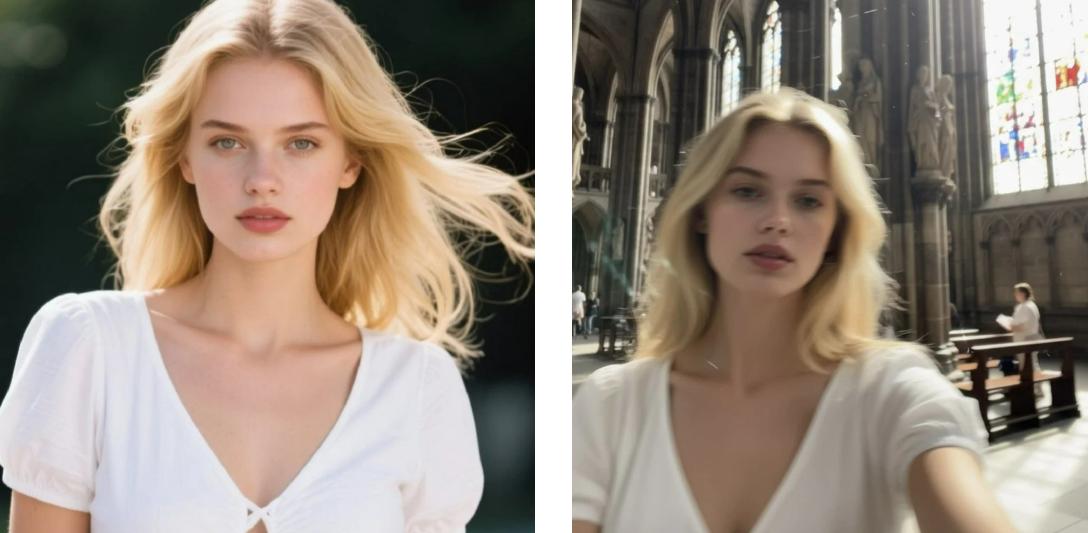
21. Extremely Ordinary iPhone Selfie

Create an image with a relaxed, casual feel, resembling a candid or accidental snapshot.

Reference image: optional. You can upload reference images as the main subjects

Make the person in the image look like a casual selfie
Remix

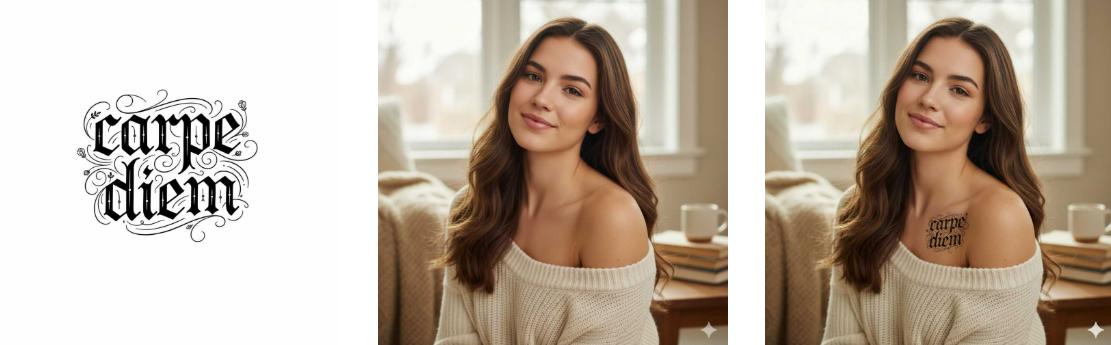
22. Tattoo Simulator

Want to generate tattoos that look real? Upload two images and let Nano Banana blend them together to preview how the tattoo looks on the body.

Place a carpe diem tattoo on the womans shoulder in the image
Remix

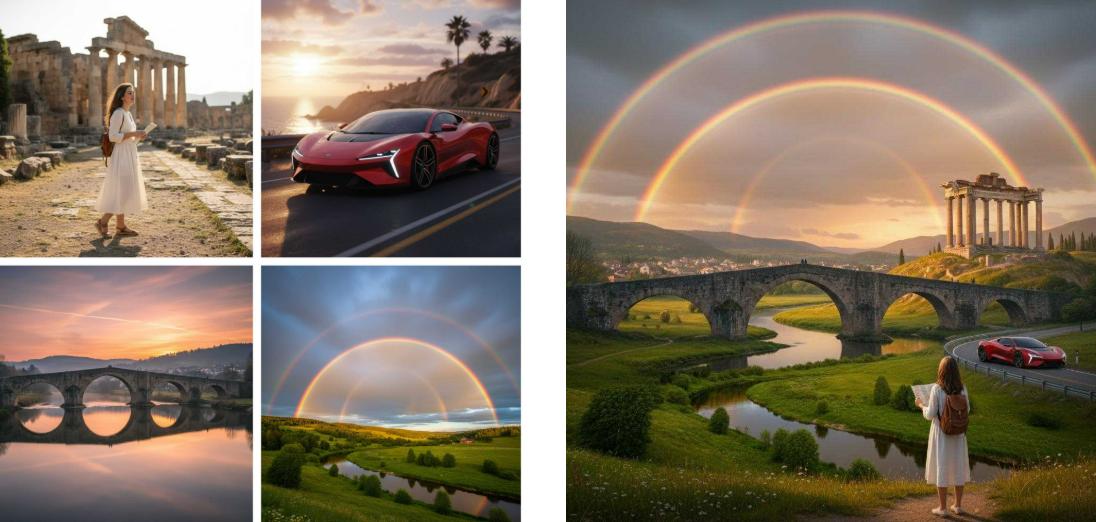
23. Multiple Images Morph into One

Upload multiple images, have the AI preserve all elements from each image, merge them into a complete scene, and finally export a single image.

Create a completely new scene from the four uploaded images with different elements
Remix

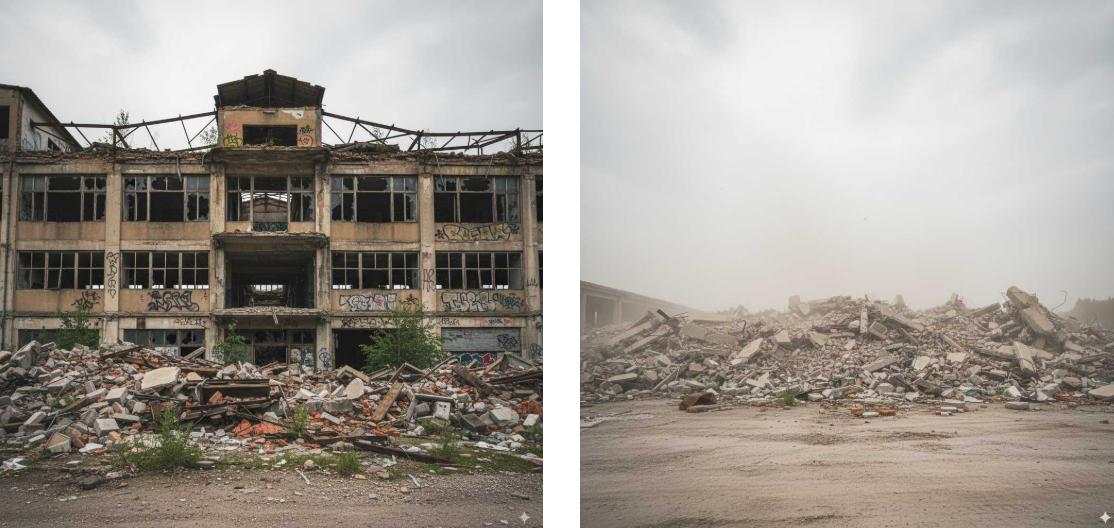
24. Time-Based Image Generation

Create scenes that capture specific moments, such as “10 minutes later” or “at sunset,” by controlling the time setting using a Nano Banana prompt.

Predict the appearance of the abandoned building after an explosion
Remix

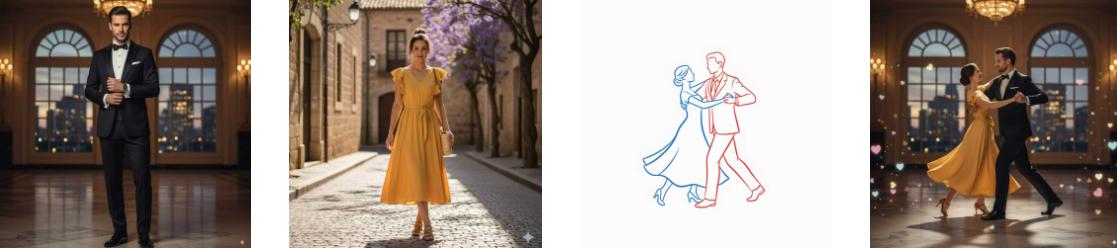
25. Movement Control Based on Annotation

Upload multiple images, have the characters in the images interact, and finally export a single image.

Make the man and woman in the line art image dance according to the sketch
Remix

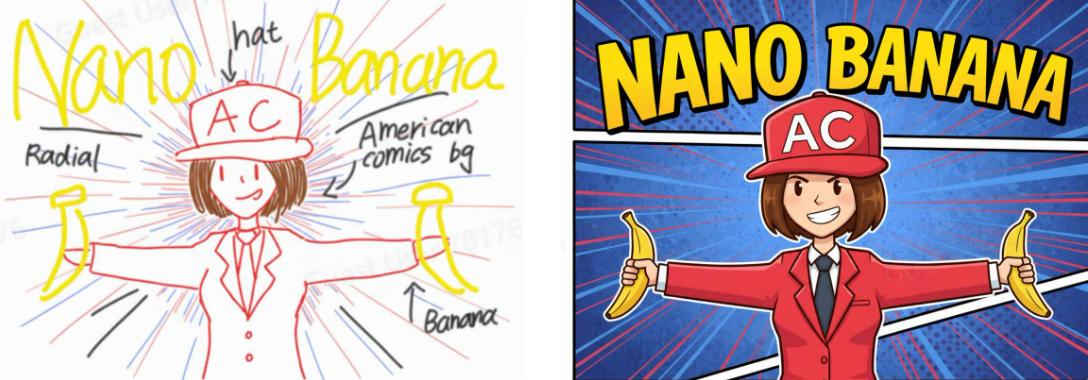
26. Drawing to Image Based on Annotation

Upload an image, add annotations directly on it, and have Nano Banana generate the final result based on the annotations.

Generate a colored version of the line art image based on annotations
Remix

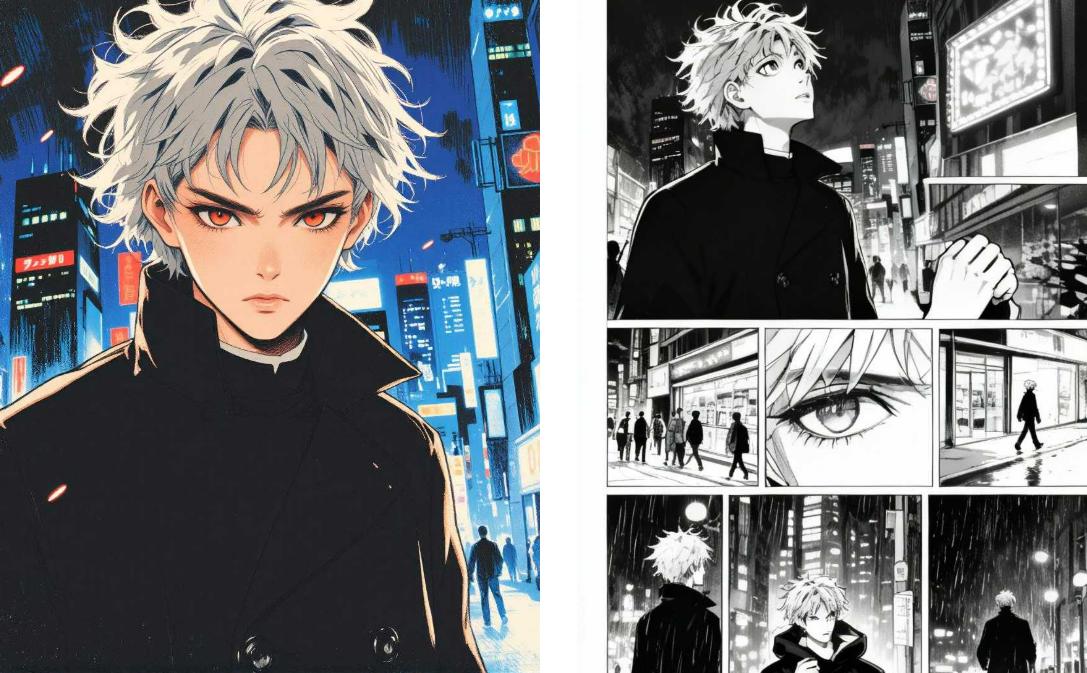
27. Comic Storyboard

Create a nine-panel comic from your image content, using scenes and framing to convey a complete story.

Generate a comic storyboard for the anime character in the image
Remix

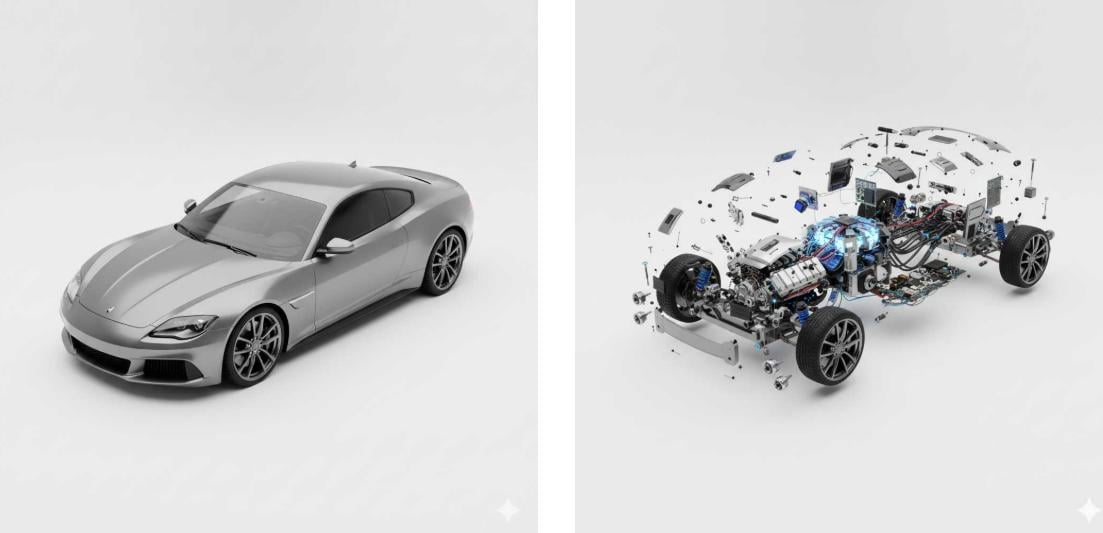
28. Product Internal Structure

Ultra-detailed exploded view of a product, metallic parts and electronic components floating in mid-air, perfectly aligned, revealing inner structure, futuristic technology aesthetic, 8K resolution, soft cinematic lighting, highly realistic.

Show the internal structure of the car in the image
Remix

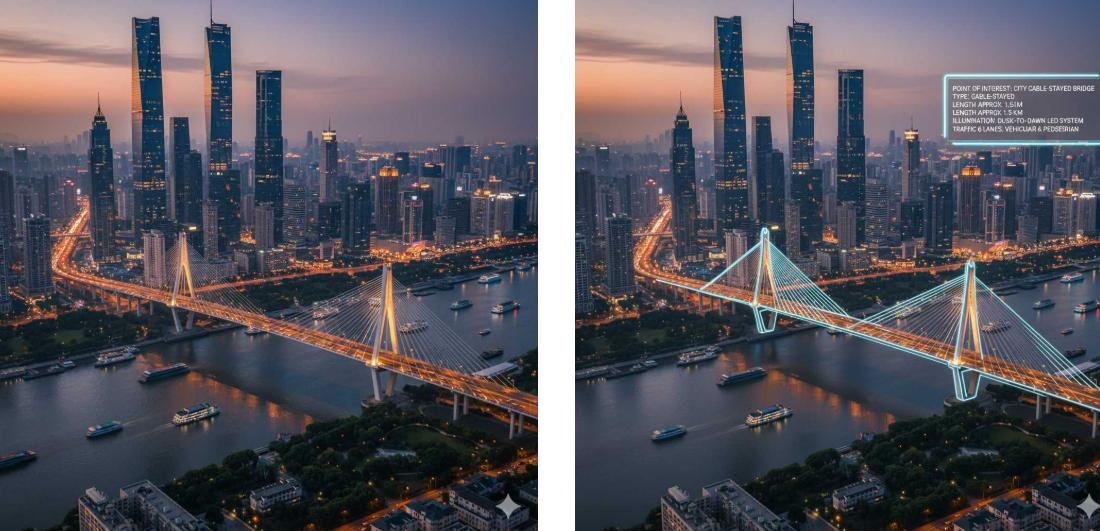
29. AR Landmark

Highlight the landmark in your image and annotate relevant information about it.

Generate an AI landmark from the bridge landscape in the image
Remix

Key Features of Gemini Nano Banana Model

  • Photorealistic output: one-of-a-kind 3D figure creation ability with optimal realism, perfect for 3D figure creation and real-world design.
  • Character consistency: edit or retouch images while keeping character consistency.
  • Element changes: easily swap background, clothes, hairstyles, or other elements in your images through text-to-image generation.
  • Advanced style transfer: transform image styles while keeping faces, characters, and scenes recognizable.
  • Image combining: combine multiple reference images into a single result while preserving identity consistency and details.
  • Style and scene coherence: Advanced style reference and scene coherence for smooth storytelling and comic drafting
How to Use Gemini AI Photo Prompts (Copy and Paste)?

Besides Google’s official site, plenty of other professional platforms have integrated the Nano Banana model for image generation. Below are three options, including Clipfly and Google’s own tools. Clipfly is great for fast, simple image creation and quick edits, while Google AI Studio/Gemini shines when you need high-quality, complex, multi-step results. Feel free to pick the one that works best for you.

Comparison


Clipfly
Google AI Studio/Gemini
Positioning
One-stop image/video generation & editing tool
Google’s advanced general AI platform
Model
Multiple commercial art-style models
Latest Imagen series (higher fidelity)
Core Functions
Text-to-image, image-to-image, multi-image compositing, style transfer
Text-to-image, image-to-image, multi-image compositing, detailed editing
Ease of Use
Simple web upload + prompts
Requires Google account via AI Studio or Gemini app
Image Quality
Good for everyday creative needs
More realistic details, lighting, and resolution
Pricing / Limits
Paid credits for unlimited use
High-res output and some features may need paid plan or follow stricter policies

Method 1: Clipfly

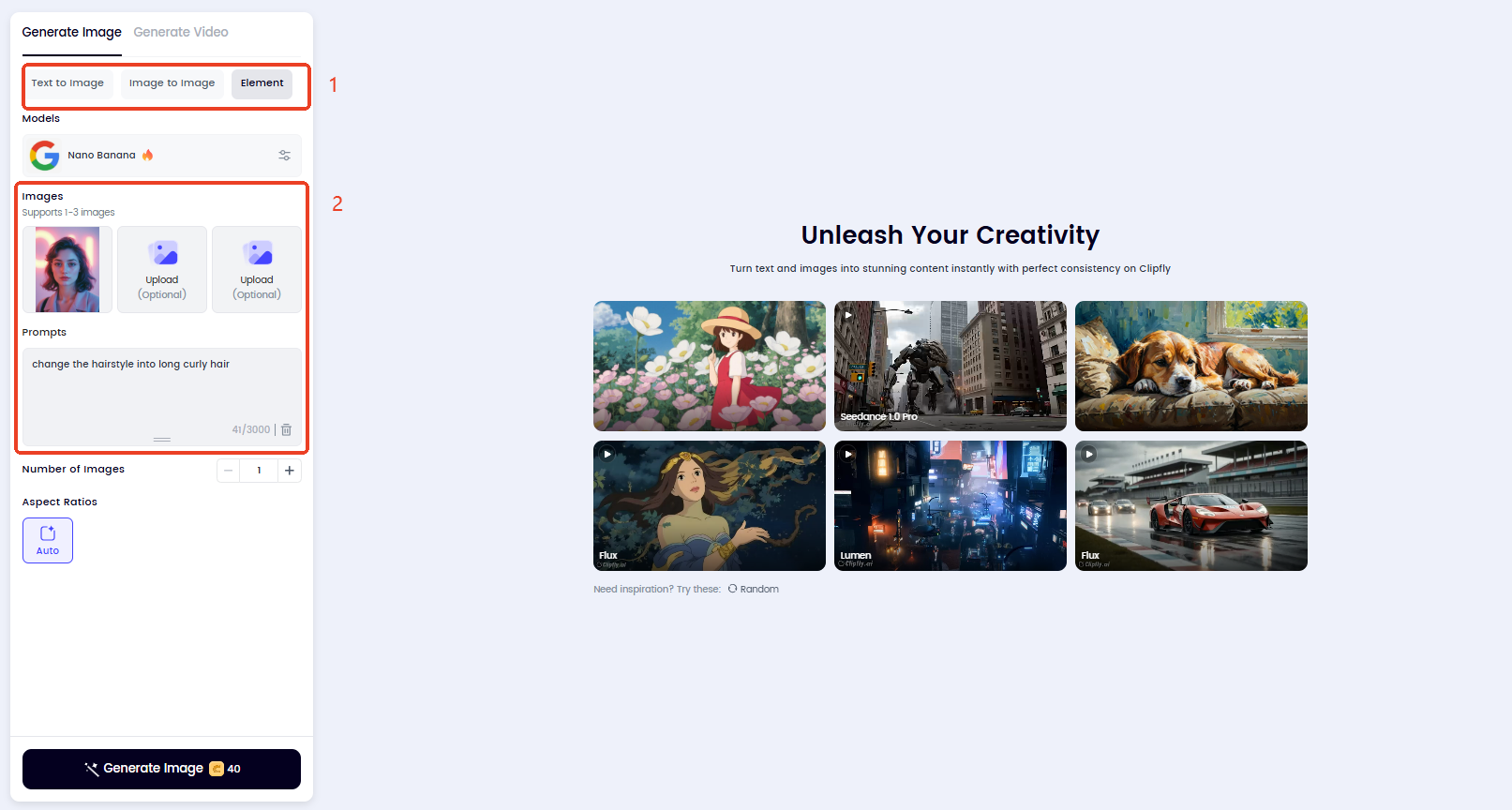
  1. Go to Clipfly AI
    Clipfly AI image generator offers access to Nano Banana powered by Gemini. With an intuitive interface, Gemini prompt generator templates, and all-in-one features, you can start creating right away.
  2. Select an image generation mode
    Clipfly offers different image creation mode, including Text to Image, Image to Image, and Element Reference to image. The more detailed your prompts and the clearer your reference images, the better the final result will be.
  3. Pick and paste a viral AI image prompt to get started
    Copy and paste a Gemini 3 Pro prompt for image generation, personalize it with the styles, details, edits, or transformations you want for a try.

Method 2: Gemini

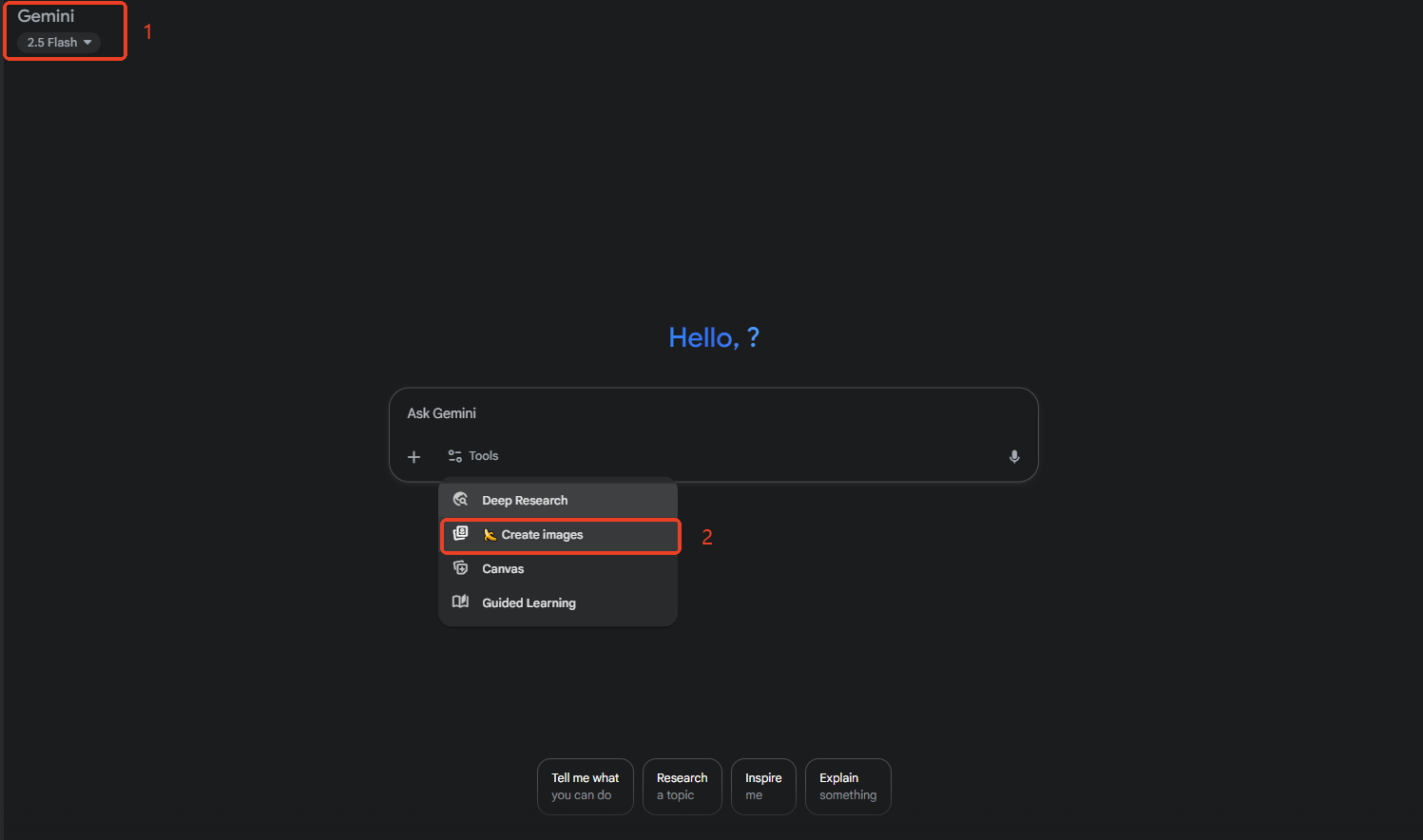
  1. Sign in to Google Gemini.
  2. Switch to the Gemini 3 Pro model and select "Create images".
  3. Copy and paste Google Gemini AI photo prompts to get started.

Method 3: Google AI Stuido

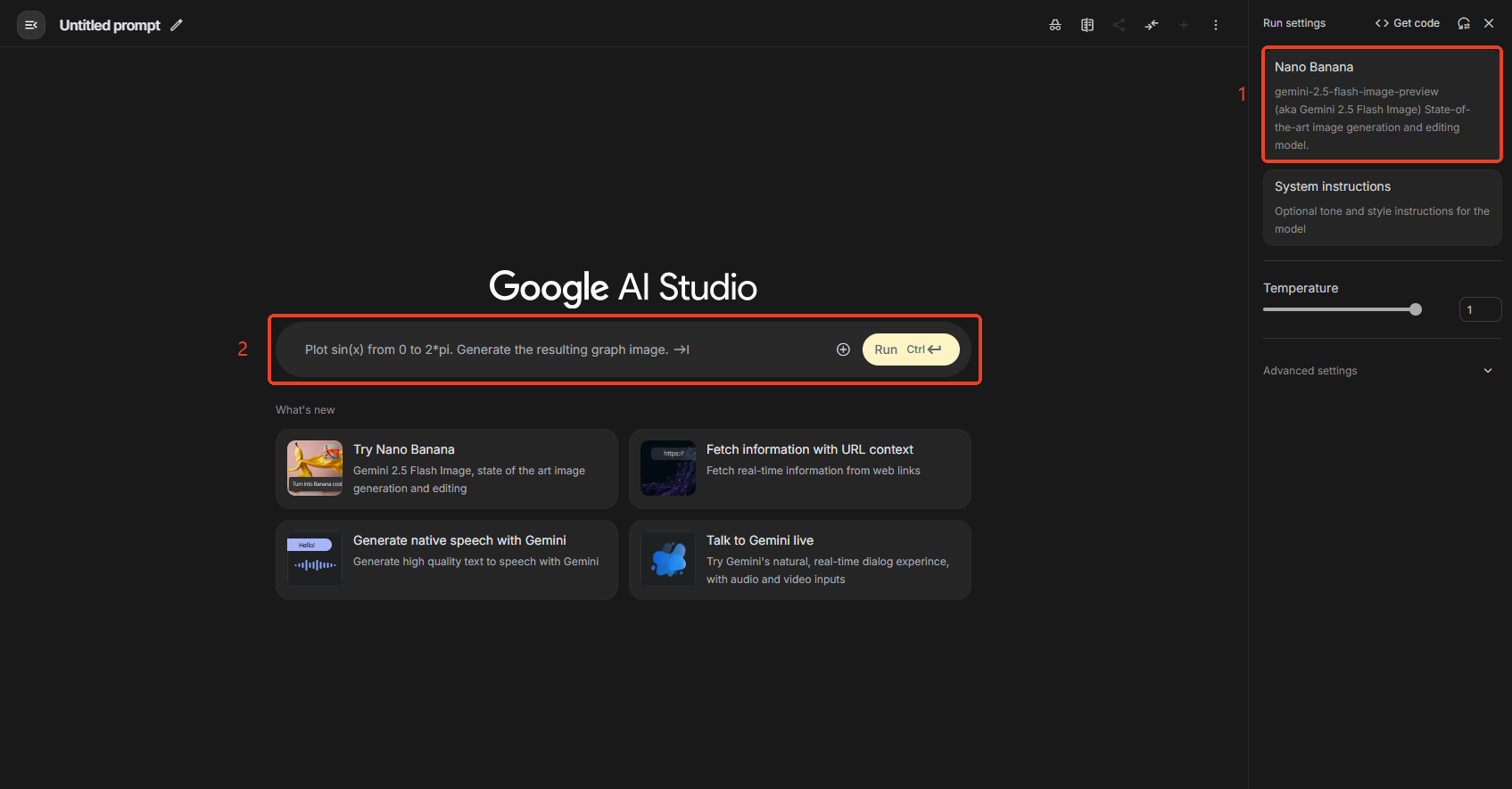
  1. Sign in to Google AI Studio and select the Nano Banana model.
  2. Upload reference image(s) if needed.
  3. Copy and paste your Google AI photo prompt to let it work.

Visualize Your Creative Ideas via Clipfly Gemini Prompt Generator Templates

Try Nano Banana Now